
Gmail ‘Help Me Schedule’ — The Gemini-Powered Revolution Inside Your Inbox
Introduction: The Endless Back-and-Forth
We’ve all been there. You write an email saying, “When are you free for a quick meeting?” They reply three times. You’re busy during two, maybe all three. Then another round of emails starts. Before you know it, your “quick chat” has taken five messages, a headache, and too much caffeine.
That pain is exactly what Gmail’s new ‘Help me schedule’ feature, powered by Gemini AI, is here to destroy.
This isn’t just another productivity add-on; it’s Google quietly changing how we plan our time. Inside Gmail itself, Gemini now steps in to read the room (or rather, the email), peek at your Google Calendar, and offer AI meeting suggestions right where you’re typing. No switching tabs. No awkward copy-paste scheduling links. Just… flow.
What Is Gmail ‘Help Me Schedule’?
At its core, Gmail’s ‘Help me schedule’ is an AI-powered scheduling assistant built into Gmail. It uses Gemini’s contextual intelligence to propose, edit, and insert meeting options directly into your email draft. Think of it as a mix of Google Calendar AI scheduling and conversational awareness, living right inside your inbox.
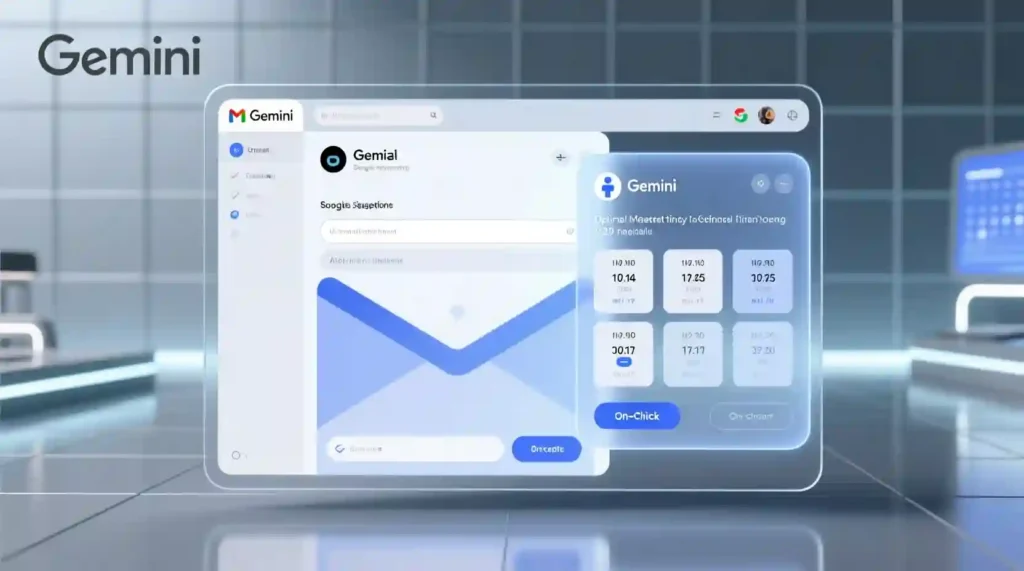
Here’s how it works: when you type something like, “Can we meet next week?”, a new toolbar appears — “Help me schedule.” Tap it, and Gemini immediately checks your calendar, your phrasing, and the week ahead. Then it drops in perfectly formatted time options that match your free slots and your tone. You can even tweak them before sending.
Once your recipient picks a slot, a calendar invite is automatically generated for both of you. It’s like Gmail finally learned to read between the lines.
How the Gemini Meeting Scheduler Works (Step by Step)
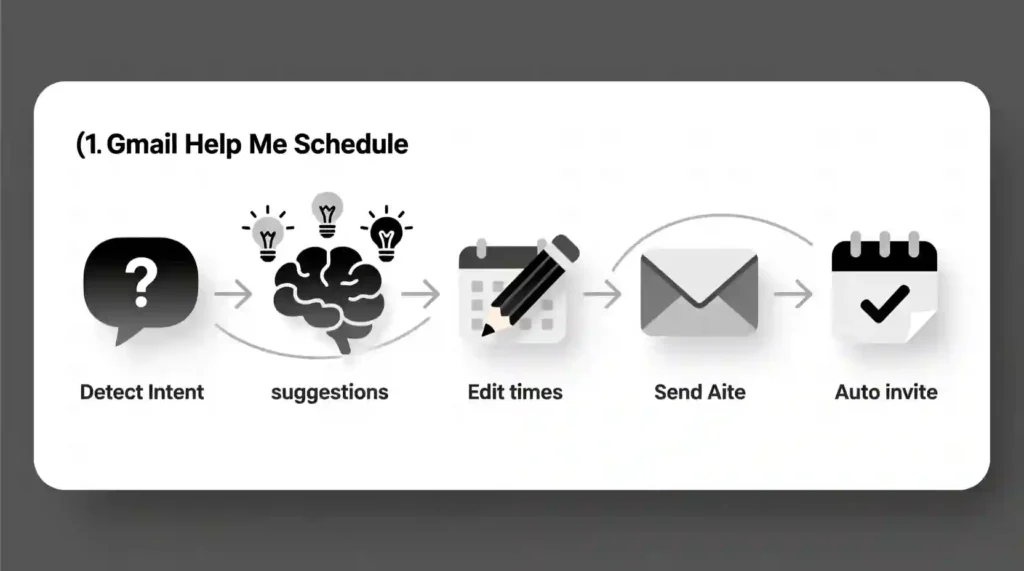
- Gemini detects intent. If your email sounds like a meeting setup, Gmail activates the scheduling prompt automatically.
- You click “Help me schedule.”
- AI suggestions appear. Gemini analyzes your Google Calendar, the recipient’s message, and your availability preferences.
- You edit freely. Add, remove, or rearrange slots before inserting them.
- Send with style. The meeting options appear inside your email as clean tiles or bullet lists.
- One-click confirmation. When the recipient picks a time, a Google Calendar invite pops up for both parties.
That’s it, no Calendly links, no time-zone confusion, no inbox chaos. Just one clean exchange.
Why It Feels Magical (and Actually Saves You Time)
Gemini doesn’t just “read” text. It understands it.
Its natural language processing (NLP) can interpret vague phrases like “sometime after lunch” or “later this week.” It also learns your patterns — skipping over your blocked-out focus hours or avoiding back-to-back meetings.
This isn’t just automation. It’s AI in Gmail Calendar — emotionally intelligent scheduling that respects your energy and your workflow.
And because it’s native to Gmail, it feels seamless. You don’t leave your email tab. You don’t juggle apps. Everything stays in one flow, right where the conversation happens.
Features That Actually Matter
- Contextual awareness: Reads your tone, your message, and your calendar, and suggests suitable meeting times.
- Real-time syncing: Works with Google Calendar AI scheduling to check live availability.
- Custom edits: Modify, delete, or add new times before sending.
- AI meeting suggestions Gmail integration: Gemini’s smart reasoning avoids scheduling conflicts.
- Smooth invites: Auto-creates Google Calendar events when a time is picked.
- Privacy controls: Gemini only accesses data within your permission settings nothing gets shared externally.
It’s a quiet but big deal: email-based appointment scheduling finally feels human.
Early Limitations You Should Know
Right now, Gmail’s Gemini meeting scheduler is built for one-on-one meetings only. Group scheduling is still coming. It also works best if you’re using both Gmail and Google Calendar; without that combo, automation drops.
Coverage might differ slightly between desktop and mobile, and Workspace admins may need to enable Gemini access. Also, it’s currently limited to Workspace, AI Pro, and AI Ultra subscribers.
So, yes, it’s not perfect but it’s evolving fast.
How It Beats the Rest
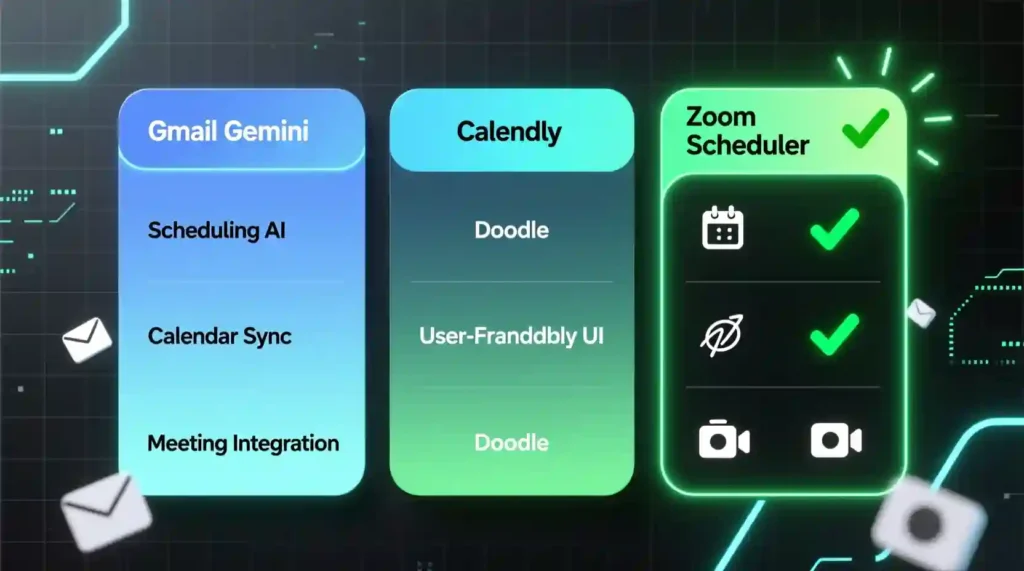
| Feature | Gmail Gemini | Calendly | Doodle | Zoom Scheduler |
|---|---|---|---|---|
| Native to Inbox | ✅ Native | ❌ No | ❌ No | ❌ No |
| Calendar AI | ✅ Yes | ⚠️ Limited | ❌ No | ❌ No |
| Context Awareness | ✅ Understands context | ❌ No | ❌ No | ❌ No |
| Third-Party Links | ❌ None | ✅ Yes | ✅ Yes | ✅ Yes |
| One-Click Invite | ✅ Quick invite | ✅ Quick invite | ✅ Quick invite | ✅ Quick invite |
| Group Scheduling | ❌ Not yet | ✅ Yes | ✅ Yes | ✅ Yes |
This chart says it all. Gmail’s schedule assistant isn’t trying to replace external tools — it’s rewriting how scheduling feels. No friction, no links, just a native experience.
Tips to Get the Best Out of It
- Write clearly. Gemini understands natural language, but clarity helps.
- Keep your calendar clean. AI can only be as smart as your data.
- Use edits. Don’t accept the first set of times — tweak them for personality.
- Check permissions. Make sure Gmail and Calendar are both synced with Gemini access enabled.
Privacy, Trust, and the AI Line
Let’s be real, the first thing everyone thinks when they hear AI in email is: “Is it reading everything I write?”
Fair question. The answer: Gemini doesn’t share your data outside Google’s walls.
It works within your Google account permissions — meaning it only reads what it needs to schedule your meeting. It scans your Gmail thread, your Google Calendar, and suggests options without exporting any personal data.
Everything happens inside Google’s protected environment. So, when you click “Help me schedule,” you’re not handing your day to a random app. You’re letting Gemini automate a process you already trusted Google with.
It’s subtle, but important — the line between “AI reading” and “AI assisting” depends on intent, and here, Gemini stays firmly on your side.
How This Feature Feels Different
There’s something surprisingly human about Gmail’s Help me schedule.
It doesn’t drop a cold, impersonal scheduling link. It reads your words, the tone, the flow, the context. Then it offers suggestions that fit your voice.
That’s the real difference. While tools like Calendly or Doodle make scheduling efficient, they often make it transactional. Gemini’s approach is more conversational, more like a helpful friend quietly saying, “Hey, how about these times?”
For once, AI isn’t trying to sound like a machine. It’s trying to help you sound like you.
The Upcoming Upgrades
Google rarely stops at version one. Expect group meeting scheduling, mobile rollout, and cross-calendar integration soon. They’re already testing extensions for shared calendars and team events.
You might even see Gemini integrate with other tools like NotebookLM, Docs, or Gems — to suggest agenda items, summarize previous meetings, or automatically draft follow-up emails after your meeting ends.
This is just the beginning of AI in Gmail Calendar, where every part of your workflow connects effortlessly.
Accessibility and Inclusion
There’s also a quiet accessibility win here.
With voice typing, screen reader compatibility, and Gemini’s natural language processing, this feature will make scheduling easier for users with visual or motor limitations.
Google has hinted that accessibility improvements are part of the long-term rollout, especially for Workspace environments that prioritize inclusivity. It’s more than a tech upgrade — it’s a human upgrade.
Advanced Productivity Hacks

Once you get used to it, you’ll realize how much time it actually saves. Try these tips to level up your smart meeting scheduling in Gmail:
- Use conversational language. Phrases like “Let’s meet next Thursday for 30 minutes” work best.
- Pre-filter your calendar. Block your focus hours so Gemini knows what to skip.
- Combine with Smart Compose. Let Gmail’s AI write the message and Gemini schedule it — full automation flow.
- Follow up fast. Use “Smart Reply” to confirm in seconds when others suggest times.
- Customize tone. Edit Gemini’s proposed text before sending for a personal touch.
When all this clicks, you’re no longer managing time, you’re owning it.
Who This Is Best For
- Busy professionals tired of endless email threads.
- Freelancers and creators who schedule multiple client calls weekly.
- Team leads juggling overlapping meetings.
- Anyone deep in Gmail daily.
Basically, if your day lives inside your inbox, the Gmail schedule assistant becomes your secret weapon.
The Emotional Shift From Chaos to Calm
Here’s the truth: time management isn’t about control. It’s about peace.
Every meeting we schedule is a small tug on our attention. When Gemini takes over the repetitive parts, it’s not just saving minutes; it’s giving back mental quiet.
That’s why this feature matters more than it seems. It’s not just about faster scheduling. It’s about softer living where your email stops being a battlefield and becomes a bridge.
AI doesn’t have to feel cold. In Gmail’s case, it feels like calm precision, a moment of clarity in the noise of digital life.
The Final Word: Where Gemini Is Taking Us
Gmail ‘Help me schedule’ marks the real turning point for Gemini-powered Gmail features, where AI becomes invisible, yet deeply helpful. It combines AI meeting suggestions from Gmail with emotional intelligence, creating something rare in tech: ease.
If you’ve ever felt trapped in the endless ping-pong of scheduling, this tool will feel like oxygen.
So, go ahead — click that new “Help me schedule” button the next time you’re planning a call. Let Gemini do its thing. Let AI make your inbox smarter, lighter, more human.
Because sometimes, the best productivity hack isn’t working harder, it’s letting the right AI handle the chaos.

Conclusion
Gmail’s ‘Help me schedule’ isn’t just an update. It’s a quiet revolution in how we organize our lives. With Gemini’s scheduling intelligence, Google Calendar AI integration, and smart meeting automation, your inbox finally stops being a place of friction — and starts becoming a flow.
The next era of email isn’t about messages. It’s about moments that actually happen on time, with ease, and without stress.
Meet Gemini. Meet your new timekeeper.