
Adobe Foundry Trains Firefly on Your Brand for Consistent AI Design
Most AI tools today make pretty things fast. But here’s the problem — they all look the same.
Your brand ends up sounding and looking like everyone else.
Adobe Foundry changes that.
It lets you train Adobe Firefly — Adobe’s creative AI — on your own brand assets.
That means Firefly can learn your real colors, fonts, tone, and design style.
When it makes new images, videos, or sounds, they already match your brand identity.
This isn’t just cool tech. It’s a full shift in how big brands create content.
What Adobe Foundry Actually Is
Adobe Foundry is a new AI platform made for businesses.
It’s not a public tool anyone can use. It’s built for companies that want private, brand-safe AI.
Here’s what it does:
- It lets you upload your brand assets — like product photos, logo files, ads, and videos.
- Then Firefly trains on those assets. It studies your visual patterns, color styles, and voice tone.
- Once trained, it can make new content that looks and feels just like your brand.
That means no more generic AI art.
Every output looks “on-brand” — just faster.
Example:
If your brand colors are deep blue and gold, Firefly learns that.
If your product shots use soft lighting and centered angles, Firefly learns that too.
Next time you generate an image or ad, it automatically matches that look.
Why It’s a Big Deal for Enterprises
Let’s be real — big companies struggle to keep every design consistent.
Different teams, different regions, different creators — small changes add up.
With Foundry:
- You keep your brand identity tight.
- Every ad, social post, or video stays on message.
- You protect your data because it’s stored under your enterprise license, not shared publicly.
In short, you get speed + safety + consistency.
Why Generic AI Fails for Brands
Most free AI tools (like Midjourney or DALL-E) don’t know your brand rules.
They can copy a “style,” but not your identity.
That’s why one post looks elegant, and the next looks totally off.
Adobe’s Foundry solves that.
It gives you control over training and rights, so every output is truly yours.

Four Training Formats That Matter
Adobe Foundry doesn’t stop at images. It can train Firefly in four types of content your brand uses every day:
| Format | What It Learns | What You Get |
| Image | Logos, product shots, brand visuals | Social ads, posters, banners that match your look |
| Video | Motion style, pacing, transitions | Ads and reels that feel like your brand |
| Audio | Voice tone, sound effects, music identity | Podcast intros, video sounds, brand voice |
| 3D | Materials, textures, product design | 3D renders for products, packaging, or AR |
This means your whole creative system — visual, motion, and sound — can be powered by one AI brain trained only on your brand.
That’s a big leap from using random prompts and hoping for the best.
Real Training vs. Prompt Engineering
Most people think “AI customization” means typing longer prompts.
That’s not training — that’s guessing.
Prompt engineering = “Make an image like Apple.”
Training = “Here are 200 real Apple photos. Learn from them.”
See the difference?
Prompting copies the look.
Training learns the logic.
When Firefly is trained on your real data, it understands:
- How your brand uses light and color
- What kind of textures or fonts fit your visuals
- The emotional tone behind your campaigns
So when you say, “Make a fall campaign banner,” it already knows your vibe.
No need to rewrite prompts or fix AI mistakes later.
How Adobe Foundry Differs From Other AI Tools
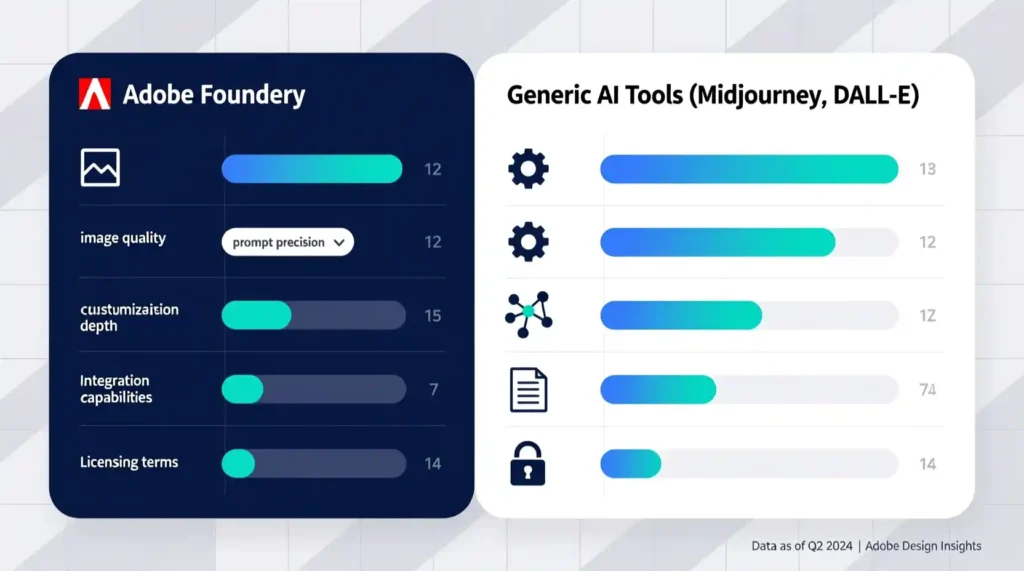
| Feature | Foundry | Midjourney / DALL-E |
| Brand Training | Yes, full custom model | No, style imitation only |
| Enterprise Security | Private, protected | Public cloud |
| Data Ownership | You own your trained model | Shared or unclear |
| Output Control | Fully brand-safe | Mixed results |
| Formats Supported | Image, Video, Audio, 3D | Mostly image only |
Foundry isn’t a “fun art tool.”
It’s enterprise tech built for creative control.
Why Creative Teams Love It
Designers love that they can stay creative but skip repetitive work.
Marketers love that they can generate dozens of brand-consistent assets fast.
Managers love that it’s safe, compliant, and fits inside the Adobe tools they already use.
It’s like giving your design team a version of Firefly that already “thinks in your brand language.”
The Future: Brand AI as Core Infrastructure
In the old world, brand style guides lived in PDFs.
In the new world, they live inside the AI.
Adobe Foundry makes your brand style “trainable.”
That means every time Firefly creates something new, it’s already following your rules.
No more sending 10 design drafts for approval.
No more “Can we make it look more like us?” messages.
The AI knows.
Because you taught it.
Mini Wrap-Up: Your Brand’s Private Creative Brain
Adobe Foundry isn’t another feature. It’s a full creative engine.
It learns what makes your brand you — and keeps it that way in every output.
Think of it like hiring a designer who’s seen every ad, product, and campaign you’ve ever made — and never forgets.
That’s what brand-trained AI means.
And that’s why Adobe Foundry is about more than speed — it’s about control, safety, and identity in a world of generic AI content.
Part 2: Inside the Firefly Brand Training Process
How Adobe Foundry Actually Trains Firefly
Most people think training an AI model sounds scary or super technical.
But Adobe Foundry makes it easier than it sounds.
When you train Firefly on your brand, it’s like teaching a student with examples.
You show it what your brand looks, sounds, and feels like.
Then it learns the patterns — color tones, logo rules, voice tone, and design rhythm.
After that, it starts creating new things that fit right in.
Let’s walk through how this works step by step.
Step 1: Building the Right Dataset
Training starts with collecting your brand assets.
These are all the things that show who you are visually and creatively.
What to include:
- Product photos
- Logo files and design templates
- Social media images
- Videos and ads
- Audio clips or music used in campaigns
- 3D product designs or models
The goal is to give Firefly a full view of your brand’s world.
Think of it like feeding your AI a diet made of your brand’s best creative work.
Good data in = good results out.
How much data do you need?
- Images: At least 50–200 strong brand visuals
- Videos: Around 20–50 clips that match your tone
- Audio: 30–100 sound samples, music loops, or voice clips
- 3D assets: 25–75 models for product-based brands
It’s not about uploading everything. It’s about uploading the right things.
Step 2: Firefly Learns from Each Format
Firefly doesn’t just see your content — it studies it like a designer.
Let’s look at how it trains across different formats:
Image Model Training
Firefly looks at:
- Colors, lighting, and layouts
- Logo placement and spacing
- Product angles and textures
- Brand mood or emotion
It learns your visual rules so new images match your existing ones.
Video Model Training
Videos teach Firefly how your brand moves.
It studies:
- Frame rate and motion rhythm
- Camera angles and pacing
- Transitions and typography styles
After training, Firefly can generate new clips that match your ad style.
Audio Model Training
Audio training is all about your sound identity.
Firefly learns:
- Music tone (soft, bold, playful, calm)
- Sound effects you use
- Voice style for intros or ads
It can later create new audio that feels like your brand’s “sound fingerprint.”
3D Asset Training
This part is big for product-based companies.
Firefly studies:
- Shape and geometry of your 3D models
- Material and texture (matte, glossy, metallic)
- Lighting setup and rendering style
Then it can create new product mockups or design variations fast.
Step 3: The Training Cycle
Once your data is ready and uploaded, Foundry runs the model training.
Here’s the basic flow:
- Upload and validate your brand assets
- Firefly starts learning patterns
- You review first test outputs
- Teams give feedback and refine the results
- Foundry runs another training round
This cycle repeats a few times until the AI’s output feels right.
Usually, this takes 2–4 rounds.
The more clean, clear data you start with, the fewer cycles you’ll need.
Step 4: Data Preparation (The Secret Ingredient)
Most companies skip this — and fail.
Good data preparation is what makes your AI smart, not just fast.
What to Do Before Training:
- Clean up your files: Remove duplicates or off-brand visuals
- Use correct names: Add clear file names like “summer_campaign_2025_banner.jpg”
- Tag your files: Add metadata like colors, product names, or region
- Organize folders: Separate by format (images, video, audio, etc.)
- Check rights: Make sure you own or have permission for everything
If your data is messy, Firefly will learn the wrong things.
If it’s clean, Firefly becomes your perfect creative assistant.
Step 5: Validation and Quality Control
After the first training round, your team reviews what Firefly makes.
You check:
- Does it look like your brand?
- Are the colors, tone, and layout correct?
- Does it avoid off-brand mistakes?
If not, you adjust your dataset — add or remove examples — and train again.
This back-and-forth process polishes the model until it’s accurate.
Step 6: Deployment
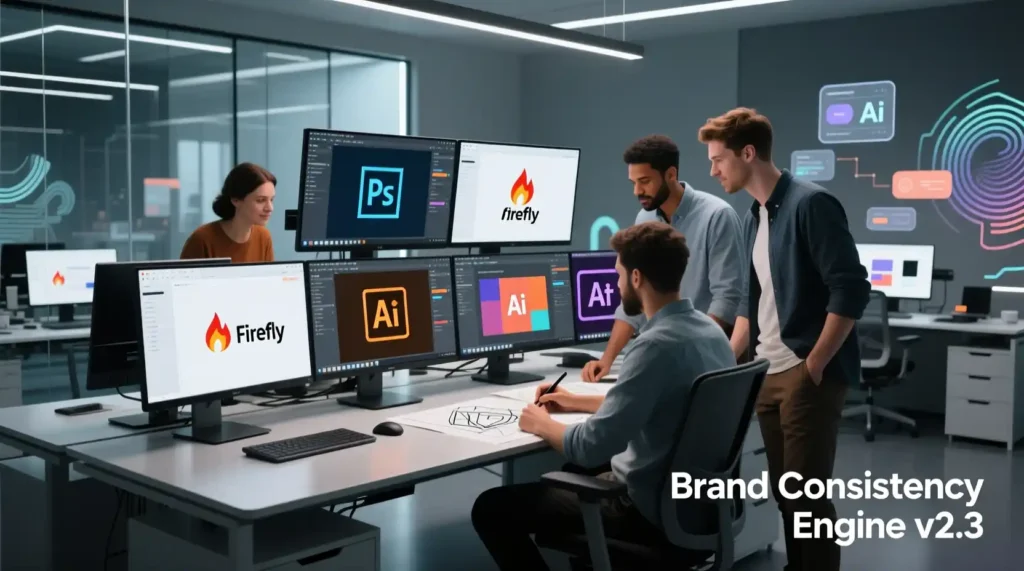
When the model is ready, Adobe Foundry makes it available inside your Adobe Creative Cloud tools.
So now your trained Firefly model can plug right into:
- Photoshop for image generation
- Premiere Pro for video creation
- After Effects for animation
- Substance 3D for product renders
This means your creative team doesn’t have to learn new software.
They just use the tools they already know — now powered by your brand-trained AI.
What Others Miss
Many people think the “AI magic” happens during training.
But actually, it happens before training — when you prepare your data right.
Here’s what most miss:
- Bad metadata = bad AI results
- Forgetting edge cases (like seasonal designs) can confuse the AI later
- Using stock images without rights can cause legal trouble
- Skipping testing leads to weak or off-brand results
Adobe Foundry helps avoid these problems because it’s built for enterprise workflows — with checks for rights, metadata, and quality.
The Magic Behind the Scenes
Under the hood, Firefly doesn’t copy your brand.
It learns patterns — how your brand feels and behaves.
That’s what makes it so powerful.
So when you say,
“Make a product banner for our holiday sale,”
Firefly knows your red tone, your font weight, your layout style, and even how bright the photo should look.
That’s not guessing.
That’s understanding.
Mini Wrap-Up: Firefly Learns Your Logic
After training, Firefly doesn’t just remember your visuals — it understands the thinking behind them.
It knows what your designers would choose and what your brand would never post.
It becomes your creative partner, not a random idea generator.
That’s what “brand training” really means.
It’s not AI that copies you — it’s AI that becomes fluent in your brand language.
Part 3: Implementing Foundry in the Real World
From Brand Assets to Deployment
Training Firefly is one thing. Using it in real life is another.
Big companies often fail not because the AI is bad, but because they don’t plan the process.
Adobe Foundry helps you set up a smooth workflow so your team can use your brand-trained AI safely and efficiently.
Step 1: Pre-Training Checklist
Before you upload any data, you need to get everything ready.
Here’s a simple checklist:
| Category | What to Do | When |
| Legal | Verify you own rights to all files | Week 1 |
| Compliance | Check company rules and licenses | Week 1–2 |
| Dataset | Organize files, remove bad examples | Week 2–4 |
| Budget | Approve funds for training and storage | Week 1 |
| Team | Schedule onboarding and training | Week 3–4 |
Getting this right saves a lot of headaches later.
Without proper prep, your AI could make mistakes or even use content you don’t have rights to.
Step 2: Training and Iteration
Once your data is ready:
- Upload your files to Foundry
- Validate them to make sure all formats and resolutions are correct
- Run the first training cycle
- Review Firefly’s outputs
- Make adjustments (add missing examples, remove bad ones)
- Repeat until results match your brand
Most brands need 2–4 cycles for solid results.
It usually takes 4–8 weeks total for the initial training.
Step 3: Integration With Your Team Tools
Adobe Foundry works with Adobe Creative Cloud tools your team already uses:
- Photoshop: Generate images that match your brand style
- Premiere Pro: Create video clips with the right motion and colors
- After Effects: Make animations consistent with your look
- Substance 3D: Render product models and packaging automatically
You don’t need to train your team on new software.
They use what they already know — now powered by Firefly.
Step 4: Real-World Use Cases
Here’s how companies actually use brand-trained AI:
Marketing Teams
- Make dozens of campaign assets fast
- Create region-specific designs without losing brand style
- Test A/B creative variations quickly
- Adapt seasonal content instantly
Product Design
- Explore new product concepts using your brand design rules
- Render packaging or product variations quickly
- Test materials, textures, or finishes digitally
Content Production
- Automate social media posts that always look “on brand”
- Generate 3D product visuals for e-commerce
- Make podcast intros, video sound effects, or jingles that match your brand voice
Example:
A clothing brand trained Firefly on its photos, videos, and 3D product scans.
They cut production time for new seasonal visuals from 5 days to just a few hours.
Step 5: Feedback Loop
Even after deployment, you need a review system.
- Check Firefly outputs regularly
- Collect feedback from designers and marketers
- Update datasets when you launch new campaigns or products
- Run small training cycles to improve results
This keeps your AI aligned with your evolving brand.
Step 6: Avoiding Common Pitfalls
Many companies make the same mistakes:
- Uploading messy or low-quality images
- Ignoring seasonal or edge-case designs
- Not checking legal rights for files
- Skipping review cycles after training
Foundry helps prevent these, but human attention is still necessary.
AI isn’t magic — it’s smart when you feed it the right data.
Step 7: How Teams Benefit
Here’s what your team gets when Foundry is implemented well:
- Designers: Can focus on creative strategy instead of repetitive tasks
- Marketers: Get consistent content quickly without extra approvals
- Managers: See measurable brand consistency and cost savings
It’s like giving your team a “creative assistant” that already knows the rules.
Step 8: Measuring Success During Implementation
Even before the ROI, you can track progress:
- How fast is Firefly generating images or videos?
- Are outputs matching your brand style?
- Are teams saving time on edits or approvals?
- Are errors decreasing over training cycles?
These early wins show your investment is working.
Mini Wrap-Up: From Setup to Real Use
Implementing Firefly with Adobe Foundry is about planning, training, and reviewing.
It’s not just about having AI — it’s about making AI part of your creative process.
When done right:
- Teams spend less time on repetitive tasks
- Outputs are consistently on-brand
- New campaigns, products, or social posts can be made faster
- Your AI becomes a reliable partner, not a random idea generator
Firefly stops guessing.
It starts knowing.
Part 4: ROI, Governance, and The Competitive Edge
Measuring the ROI of Brand-Trained AI
Adobe Foundry is powerful, but businesses need proof.
You need to know if training Firefly on your brand actually saves time, money, and effort.
Here’s what to track:

Key Metrics
| Metric | Before Foundry | After Foundry | Improvement |
| Asset production time | 8 hours per asset | 1 hour per asset | 87% faster |
| Cost per asset | $500 | $75 | 85% cheaper |
| Brand consistency | 70% | 95% | +25 points |
| Monthly output | 50 assets | 300 assets | 6× more |
| Designer bandwidth | 0% freed | 60% freed | More time for strategy |
Even small improvements add up fast when you generate hundreds of assets a month.
Governance and Security
AI can only help if it’s safe and controlled.
Foundry includes enterprise tools, but human oversight is still important.
Security Basics
- Encrypt all training data
- Control who can access the model
- Watermark outputs if needed
- Keep audit trails for every action
- Follow GDPR/CCPA or local privacy laws
Brand Safety
- Filter inappropriate content
- Check for bias in outputs
- Include human review for sensitive campaigns
- Keep your brand reputation intact
Without governance, AI can create problems faster than it creates solutions.
Common Pitfalls to Avoid
Many companies fail not because the AI is weak, but because of simple mistakes:
- Overfitting – Training too narrowly makes AI stuck on one style
- Unlicensed content – Using images or music you don’t own can cause legal issues
- Rushing – Skipping proper data prep leads to mistakes
- No feedback loop – AI outputs get stale if you don’t review and retrain
Avoiding these pitfalls keeps your AI reliable over time.
Future-Proofing Your Brand Model
Brand trends change. Your AI should too.
How to Keep Firefly Up-to-Date
- Add new campaign assets monthly
- Expand formats from images → video → audio → 3D
- Prepare for AR/VR and other new platforms
- Update AI when your style guide evolves
- Maintain multi-brand or regional models if needed
Continuous learning keeps your AI competitive, not just a one-time experiment.
Why Companies Winning With Foundry Are Ahead
The brands that get the most value treat Foundry like infrastructure, not a toy.
- They involve legal, IT, and marketing teams from day one
- They plan workflows instead of improvising
- They measure output, quality, and ROI continuously
- They refine the AI regularly as campaigns and products evolve
When this happens, Firefly becomes more than a tool — it becomes a strategic asset.
Final Conclusion — Your Brand, Your AI, Your Edge
Adobe Foundry is not just an AI feature. It’s a full creative engine for your brand.
Training Firefly on your assets gives you:
- Faster production of images, videos, audio, and 3D content
- Consistent brand identity across every campaign
- Cost savings and time freed for strategic work
- A long-term competitive advantage that competitors can’t copy
Key Takeaways
- Start small: Focus on one format first, usually images
- Budget extra time: Data prep and legal checks take longer than expected
- Legal clearance is mandatory: Don’t skip rights verification
- Measure everything: Track time saved, output quality, and consistency
- Refine continuously: Treat your AI like a living system, not a one-time project
The Gap Others Leave:
Most companies only play with the “fun” AI features.
They ignore the boring but crucial work: data organization, rights management, testing, and governance.
Those who master the infrastructure build sustainable advantages, not just AI novelties.
Next Step: Audit Your Brand Assets
Before you start:
- Can you clearly prove you own every asset?
- Are your files organized and high quality?
- Do you have a legal/compliance check in place?
If the answer is “no” to any of these, pause.
Your AI will only be as good as your preparation.
Start with a proper audit, then begin training Firefly.
When done right, you’ll have a private creative brain that scales your brand faster, smarter, and safer than ever.