
Explore the New Adobe Firefly Generate Soundtrack Feature: What Creators Need to Know
When Adobe unveiled the Firefly Generate Soundtrack feature at MAX 2025, most creators thought, “Cool — another AI toy.” But within weeks, it became clear this update wasn’t just a feature. It was a signal — that sound is officially joining visuals as part of the generative revolution.
If you make content — whether it’s YouTube Shorts, Reels, podcasts, or ad spots — this update changes how you work, how you sound, and how you protect your brand.
Let’s explore how the Adobe Firefly generate soundtrack feature works, why it matters, and what it means for creators, editors, and even agencies moving into 2026.
Why Sound Became the Next Big Creative Frontier
For years, AI in creative workflows has been all about visuals — text-to-image, video-to-style, motion design. Sound lagged behind because audio is emotional, unpredictable, and harder to model.
Then came 2025: the year of AI sound.
OpenAI launched Jukebox 2. Suno hit mainstream TikTok use. YouTube rolled out AI music labeling. And Adobe — the company that defined creative standards — stepped in with something bold: Firefly-generated, rights-safe soundtracks directly inside Premiere and Express.
That move matters for one reason: trust.
Creators have long feared copyright strikes, takedown notices, and “royalty-free” libraries that aren’t actually free. Adobe’s entry means those fears can finally fade.
What Is the Adobe Firefly Generate Soundtrack Feature?

At its simplest, this tool lets you describe the feeling or vibe of your content in plain language — and Firefly generates a matching, royalty-free soundtrack in seconds.
Type something like:
“Upbeat hip-hop for 15-second fitness short, high tempo.”
or
“Emotional piano for storytelling vlog, 30 seconds.”
In a few moments, you get multiple versions you can preview, tweak, and sync automatically with your clips.
But here’s what makes the Adobe Firefly generate soundtrack feature stand out from other AI audio tools:
- Built directly into Adobe Express, Premiere Pro, and Audition.
No separate platform. No messy imports. Just describe, generate, and drag it under your timeline. - Licensed for commercial use.
Firefly models are trained on Adobe Stock and licensed data, not scraped music — meaning you can safely monetize your content on YouTube, Instagram, and TikTok. - Dynamic length matching.
Firefly adapts the generated soundtrack to your clip’s exact duration — 10 seconds or 2 minutes, no looping required. - AI tone control.
You can adjust intensity, emotion, tempo, and transitions without re-rendering the entire piece.
This isn’t AI music “for fun.” It’s professional-grade, production-ready audio for creators who move fast.
Behind the Scenes: How Firefly’s AI Actually Composes Sound
Unlike text-based AI models, audio generation relies on waveform prediction, tone layering, and harmonic mapping. Firefly combines three layers of intelligence:
- Prompt-to-mood mapping: It understands natural language prompts like “nostalgic” or “confident” and translates them into sonic attributes — tempo, scale, instrument style.
- Adaptive structure synthesis: Instead of looping one segment, it creates evolving arrangements that follow the emotional arc of your video.
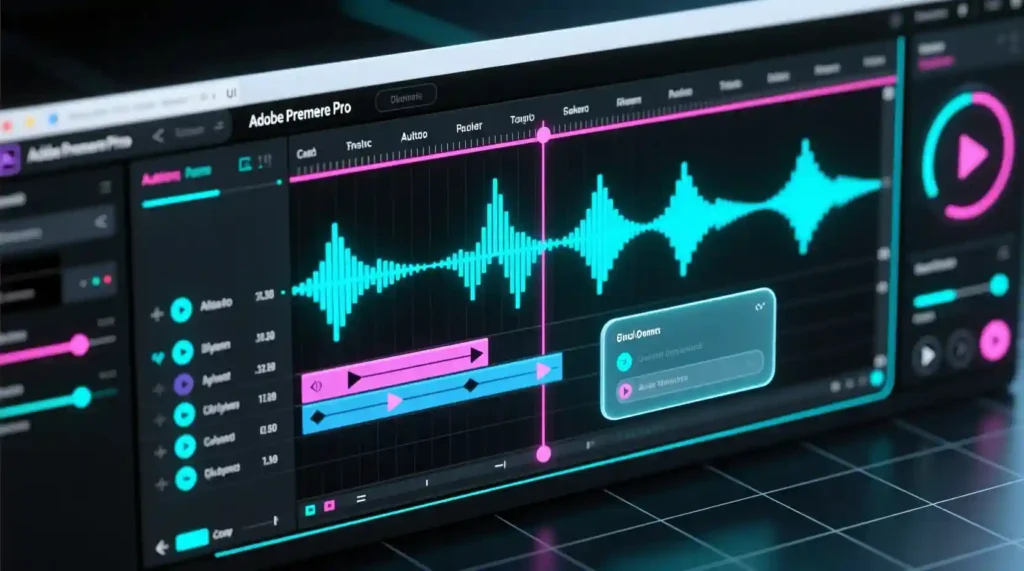
- Contextual sync: When integrated into Premiere or Express, it reads your clip’s pacing and auto-adjusts beats to match transitions.
It’s not perfect — yet. Firefly sometimes misses subtle emotional cues or overcompresses its output, but the evolution from early beta to now is night and day.
Why This Feature Is a Game-Changer for Creators
Here’s the simple truth: most creators aren’t sound engineers. They’re visual storytellers with limited time.
Before Firefly, your options for soundtrack creation were:
- Browse royalty-free libraries (time-consuming and repetitive)
- Hire composers or buy tracks (expensive)
- Use stock loops (generic and overused)
Now? You can produce custom-fit, license-safe audio in minutes.
For solo creators, that’s huge. But for agencies, brands, and marketing teams, it’s even bigger — because it unlocks three major wins:
- Speed: Generate, test, and deliver edits 70% faster.
- Consistency: Create a sonic brand identity using repeatable AI styles.
- Safety: Avoid legal headaches with Adobe’s license-backed generation.
In short: Firefly turns audio from a bottleneck into a creative advantage.
Real Use Cases You’ll See Everywhere Soon
If you think this is only for YouTubers, think again. The Adobe Firefly generate soundtrack feature is quietly transforming multiple industries.
🎥 Short-Form Video Creators:
Creators are already using Firefly to match music tone with visual emotion — travel reels, cooking clips, comedy skits, motivational edits.
📱 Brands and Agencies:
Marketing teams are crafting ad-specific soundscapes — upbeat tracks for summer launches, cinematic tones for product reveals — without hiring external composers.
🎙️ Podcasters and Educators:
Firefly’s Generate Speech + Soundtrack combo helps solo creators design full episodes, intros, and background ambience in one flow.
🎬 Filmmakers and Animators:
Indie creators use Firefly to temp-score scenes before working with real composers — saving weeks in the early creative phase.
The use cases are multiplying daily.
Strengths and Limitations (Honest Review)
No tool is perfect — and that includes this one. Here’s a realistic breakdown:
💪 Strengths
- Seamless integration inside Adobe apps
- Legal clarity for commercial use
- Emotionally intelligent output (especially for short content)
- Fast, intuitive UI
- Consistent quality across genres
⚠️ Limitations
- Still limited to short-duration clips (<2 minutes per generation)
- Output sometimes lacks dynamic variation (flat energy curve)
- Currently English-only prompts
- Slight reverb artifacts on certain percussive genres
Adobe’s already testing multilingual prompt input and advanced mastering tools — so expect major updates in early 2026.
How This Impacts the Creator Economy
This is where things get interesting.
When video creation becomes nearly frictionless — visuals, sound, and editing all powered by AI — the gap between creators will no longer be skill, but story.
Think about it:
Everyone will soon have access to studio-grade visuals and audio. What will separate your content isn’t “quality” anymore — it’s emotional clarity.
The Adobe Firefly generate soundtrack feature gives you the technical edge. But your voice still matters more than ever. Tools make speed. Story makes connection.
Adobe’s Long-Term Vision: Sound as a Creative Layer
Adobe hinted at its next roadmap: “sound as design.”
That means soundtracks won’t just be background music — they’ll be treated like color palettes or motion layers.
Imagine adjusting your video’s “sound mood” slider like you do for contrast or temperature.
Warm tone = acoustic textures.
Cool tone = digital synths.
High intensity = cinematic drums.
That’s where Firefly is headed — merging sound, color, and motion into one creative ecosystem.
It’s a future where creators design emotions, not just visuals.
Final Thoughts: Why the Adobe Firefly Generate Soundtrack Feature Matters
AI is evolving fast, but Adobe’s approach feels refreshingly grounded — built for creators, not coders.
The Adobe Firefly generate soundtrack feature isn’t about replacing musicians or oversimplifying art. It’s about unlocking creativity for everyone — from the YouTuber editing on a bus to the agency polishing a brand spot before launch.
In 2026, this won’t be a “cool new tool.” It’ll be the industry standard.
So, whether you’re crafting your next short, client pitch, or mini-documentary — experiment with it. Listen, tweak, learn. Because soon, mastering Firefly’s sound generation will be as essential as knowing how to color grade or caption your clips.
And when your visuals and sound finally speak the same language, your content won’t just be seen — it’ll be felt.
Pingback: ChatGPT Go Free India How to Claim (2025 Update) - zadaaitools.com