

Memorr.ai Review: The AI Tool That Actually Remembers What You Say
Memorr.ai Review: When AI Keeps Forgetting You
If you’ve ever chatted with AI and felt like you were talking to someone with amnesia, you’ll get my frustration. I spent hours explaining my content strategy to ChatGPT — my tone, my topics, even my weird writing tics. The next morning? Gone. I had to start from scratch like we’d never met.
That’s when I found Memorr.ai, a desktop app that finally solves what OpenAI, Google, and Anthropic can’t seem to figure out — it remembers everything. Not just your last question, but the full context behind your work. After two weeks of testing, I realized it’s not another AI tool. It’s the missing piece that makes AI actually useful for long-term projects.
What Is Memorr.ai?

Memorr.ai is a desktop memory manager for AI chats. Think of it like a personal assistant that sits between you and your AI tools, keeping your notes, context, and project history in one place. It connects to multiple AI models and stores your chat logs locally on your device, so your data stays private.
You can search, organize, tag, and even re-load old conversations into a new session. It feels like talking to an AI that finally “gets you.”
Why This Matters for Creators and Writers
If you’re a blogger, YouTuber, or freelance writer, you know how ideas scatter across multiple chats — outlines in one place, voice tone training in another, and research scattered everywhere. I used to copy-paste notes manually to remind AI what I was doing. It was messy and slow.
With Memorr.ai, I can open one dashboard and see every topic I’ve discussed with AI, neatly saved. I can continue a conversation exactly where I left off — even weeks later. For creators who work on long-term projects, this is a game-changer.
Features That Actually Make Sense
1. Multi-Model Connection
Memorr isn’t tied to one AI. You can switch between ChatGPT, Claude, Gemini, and others, while keeping one continuous thread of memory.
Example: I brainstorm ideas with Claude, outline with GPT-4, and fact-check with Gemini — all under one memory file.
2. Local Storage
Everything you do is saved on your own computer, not in the cloud. No account leaks, no data selling, no forgotten passwords. For anyone who values privacy, that’s gold.
3. Searchable Chat History
Type a keyword like “Valentine’s breakup blog,” and it finds every conversation where you mentioned it. That means no more scrolling through endless AI chats trying to remember where your best idea went.
4. Export and Reuse
You can export full conversations or project histories to use in Notion, WordPress, or Google Docs. This makes repurposing easy — blog to video script to ebook, all in minutes.
5. Simple UI
No dashboards full of buttons. Just a clean window with your memory folders on one side and chats on the other. It’s beginner-friendly but powerful enough for professionals.
Real-World Example – How I Use Memorr.ai Daily

I write for a relationship and mental health blog. Before Memorr, I’d explain my tone and story style every time I opened ChatGPT. It wasted 10–15 minutes per session.
Now, I’ve built a “Creator Memory Folder.” Inside it are:
- My tone guide (emotional but conversational)
- Past blog structures
- My list of affiliate disclosures and disclaimers
- My research snippets
Whenever I start a new blog, I just click “Load Memory,” and ChatGPT instantly knows my format. It feels like picking up a conversation with a friend who remembers everything you said last week.
Where Memorr.ai Beats the Rest
I’ve tried other “memory” plugins and browser extensions before. Most were clunky or cloud-based, forcing me to trust them with my private data.
Memorr.ai stands out because it’s offline-first and cross-AI. You can use it with whichever model you prefer. Plus, it doesn’t just save text — it organizes context. That’s what makes it so powerful for people working on multi-step projects like:
- A YouTube series that needs consistent branding
- A novel or script with evolving characters
- Client content plans with multiple revisions
- Academic research or case studies with citations
For each, Memorr keeps your background notes alive so you don’t have to remind the AI every single time.
What’s Missing (and Where You Can Add Value)
Memorr’s website explains features well but misses human examples. That’s why tutorials and real workflows can rank easily on Google.
For example:
- “How I used Memorr.ai to manage 10 blog series at once”
- “Best way to organize ChatGPT and Claude chats for freelancers”
Those kinds of posts don’t exist yet. Creating detailed reviews or YouTube walkthroughs around these use cases can help you rank fast with low-competition keywords.
Honest Pros and Cons After Using It
Pros
- Keeps project memory consistent across AI tools
- Private and secure — stored locally
- Clean interface, no signup required
- Perfect for long projects or repeated prompts
Cons
- No mobile app yet
- Slight learning curve to set up folders
- Lacks direct collaboration features for teams
Still, for solo creators, writers, and researchers, the pros easily outweigh the downsides.
Memorr.ai How It Works, Real Creator Workflows, and Honest Verdict
How to Use Memorr.ai Step by Step
When I first downloaded Memorr.ai, I expected something complicated. But it’s surprisingly simple. Here’s exactly how I set it up and started using it for my writing work.
Step 1: Download and Install
Go to Memorr.ai and choose the version for your system — Windows, Mac, or Linux. The file is small and installs fast. Once you open it, you’ll see a clean dashboard with a left panel for “Memories” and a right panel for your chats.
Step 2: Connect Your AI Models
You can connect ChatGPT, Claude, Gemini, or any API key-based AI. It doesn’t force you to log in anywhere. Just paste your API key inside the settings once.
I connected ChatGPT first. It instantly recognized my previous context files stored locally.
Step 3: Create Your First Memory Folder
This is where the magic happens. You can create a folder called “Blog Projects,” “Client Work,” or even “YouTube Ideas.” Every chat or idea you want to remember can be saved here.
I made a folder called Love & Breakups Blog, where I keep:
- My tone settings (friendly, emotional, healing)
- Sample intros and conclusions
- Notes about keywords and structure
- Old chats where AI helped me brainstorm
Now, when I open a new chat, I load this memory. It feels like my AI already knows my brand voice.
Step 4: Tag and Search Conversations
Each memory can be tagged, like “keyword ideas” or “emotional blog tone.” Later, when I forget where I wrote something, I just type that tag. Memorr finds it instantly — even from old chats.
Step 5: Export or Share
If I’m working with a collaborator, I export my full conversation into a text or markdown file. It keeps the format clean, perfect for uploading into WordPress or sharing in Notion.
Real Creator Use Cases
After using Memorr.ai for a while, I realized it helps more people than just writers. Here are three real-world examples that show how powerful it can be.
1. For Bloggers and Content Creators
Let’s say you’re building a blog series like “How to Heal After a Breakup.” Normally, every time you open ChatGPT, you’d have to remind it of your tone and previous article outline.
With Memorr, all your blogs in that series can live under one memory. When you start a new post, the AI already knows your emotional tone, the kind of advice you give, and even your brand phrases like “love and growth.”
I used this for my Valentine’s series. Instead of rewriting the same instructions daily, I jumped straight into storytelling.
2. For Coaches and Freelancers
One of my friends, a life coach, uses Memorr to store past client sessions with ChatGPT. When he drafts new session notes or lesson plans, the AI already remembers each client’s progress and voice style. He said it feels like having a digital assistant who never forgets the backstory.
3. For Researchers and Students
Students who research across AI models love Memorr. Imagine doing a thesis on “emotional resilience after heartbreak.” Instead of juggling 20 different chats, Memorr lets you organize them into sections — sources, summaries, and drafts — all searchable.
Comparison: Memorr.ai vs Other Memory Tools

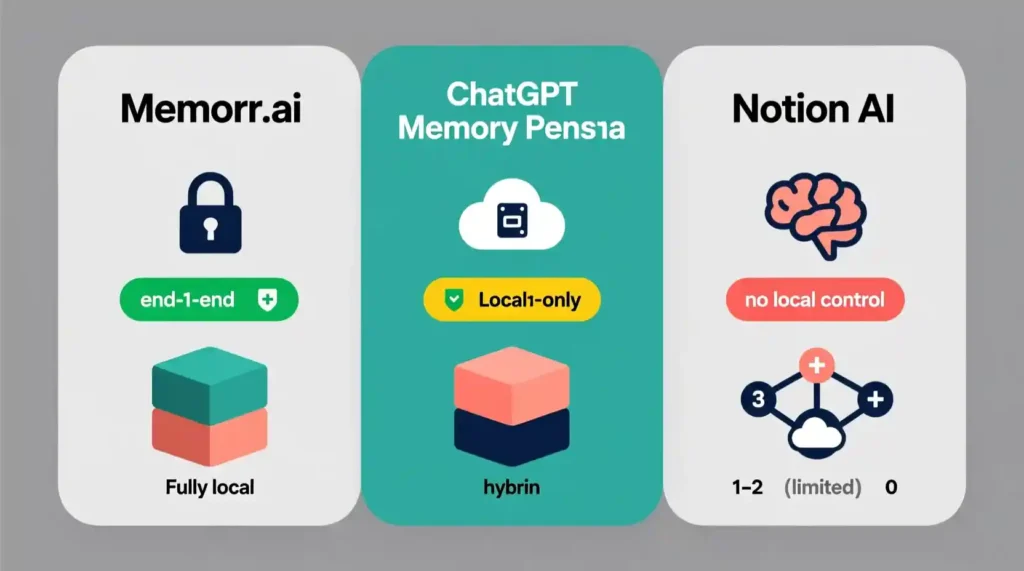
Here’s where things get interesting. I compared Memorr.ai with a few other “memory-based” tools I tried before:
| Feature | Memorr.ai | ChatGPT Memory (Beta) | Rewind.ai | Notion AI |
| Cross-Model Memory | ✅ Works with GPT, Claude, Gemini | ❌ Only inside ChatGPT | ❌ Local only | ❌ No cross-model support |
| Offline Storage | ✅ Local data | ❌ Cloud only | ✅ Local | ❌ Cloud |
| Ease of Use | ✅ Simple, light interface | ⚠️ Beta stage | ⚠️ Needs setup | ✅ Easy |
| Privacy | ✅ 100% local | ❌ Depends on OpenAI | ✅ Local | ❌ Cloud storage |
| Target Users | Creators, writers, freelancers | General AI users | Tech users | Productivity fans |
Memorr wins in the privacy and flexibility areas. It’s not trying to be fancy; it’s trying to be useful. And that’s exactly what creators need right now.
Small Flaws I Noticed
No tool is perfect, and Memorr has room to grow. Here’s what stood out after weeks of use:
- No cloud sync yet. If you use multiple devices, you’ll need to manually copy memory files.
- No mobile app. Desktop only for now.
- Needs more visual guides. Beginners might take time to understand how to tag and export.
But these issues are small compared to what you gain. The app still feels like the missing piece in modern AI workflows.
Frequently Asked Questions (FAQ) Memorr.ai Review
Q1. Is Memorr.ai safe?
Yes. Everything is stored locally. Your chat data never leaves your computer, which is safer than most browser-based memory extensions.
Q2. Can I use it with ChatGPT Free?
You can, but Memorr works best if you connect it to GPT-4 or other APIs, because it can manage longer histories.
Q3. Does it slow down my computer?
Not really. It’s a lightweight app, using less memory than a browser tab.
Q4. Can teams use it together?
Currently, it’s built for solo creators. But you can export memories and share them with teammates manually.
Q5. Is it worth paying for?
If you depend on AI for work — writing, coaching, research — it’s absolutely worth it. The time it saves pays for itself.
Final Verdict – Should You Use Memorr.ai?
After weeks of testing, I can say this confidently: Memorr.ai changes the way you talk to AI.
It gives your work continuity. It removes that daily frustration of repeating your tone or goal to ChatGPT. Whether you’re writing a blog, building a course, or managing clients, Memorr keeps the memory alive so your AI always feels “in tune” with you.
For creators, that means less time resetting and more time creating. For professionals, it means cleaner workflows. And for anyone tired of “AI forgetfulness,” it’s a quiet revolution.
If you want a tool that helps you work with AI instead of against its limits, this is it.
Conclusion Memorr.ai Review
Memorr.ai is not about making AI smarter. It’s about making your time count. Every writer, creator, or student who depends on AI needs that one place where all their context lives safely. And that’s exactly what Memorr delivers.
I started using it just to save time, but it ended up saving my patience too. No more “Sorry, I don’t remember that” moments.
So yes — Memorr.ai is worth trying, especially if you care about privacy, organization, and creative flow. It’s one of the few tools in 2025 that actually makes AI feel human again.
Pingback: Jinna.ai Review: Fast Voice Invoicing for Freelancers - zadaaitools.com