

Poe AI Tutorial: The Multi-Model Workflow That Replaced My $500/Month AI Subscriptions
Poe AI Tutorial That Actually Saves You Money
I wasted a full month bouncing between ChatGPT Plus, Claude Pro, and Gemini Advanced.
Three tabs open. Three bills hitting my card. Almost $500 gone.
Then I built a workflow inside Poe that did the same job for $199. One app. All models. Way faster.
My custom Poe bot even crossed 2,000 users in 8 days.
So this Poe AI tutorial isn’t theory. It’s the exact system I use every day to write, research, and publish faster than any single-model tool can match.
If you want the “click here, click there” baby tutorial, skip this.
This one is for creators, solopreneurs, and speed-obsessed users who want real output, not fluff.
The Dashboard Layout Nobody Explains in Any Poe AI Tutorial
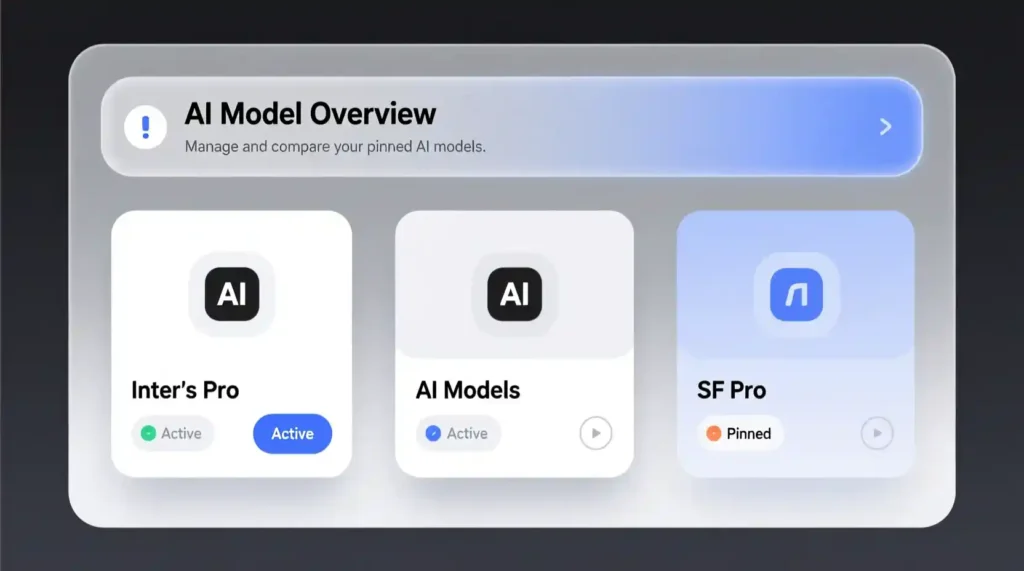
Most Poe AI tutorials show the features, not the setup that decides 80% of your workflow speed.
Here’s how I actually run Poe without lag, confusion, or model breakdowns.
1. Pin your “Workhorse Model” at the top
I keep GPT at the top because it drafts fast. Claude stays a swipe down because it handles structure.
Gemini sits in the third slot for fact-checks.
You need this because switching mid-task without planning kills context.
2. Keep all context at the top of the chat
Don’t scatter your brief across 7 messages.
Poe gets confused if you change models in the middle of messy context.
One clean block →
All models understand the job →
Zero hallucinations →
Zero wasted points.
3. Clone the chat before switching models
This is the trick nobody teaches.
If you switch from GPT → Claude inside the same chat, it sometimes forgets older context or ignores instructions.
Cloning locks the entire memory.
You get:
- no repetition
- no “What do you mean by…?”
- no wasting 30–80 points re-explaining
This single hack has saved me hundreds of points.
The Assembly-Line Workflow That Made Poe My Main Work App
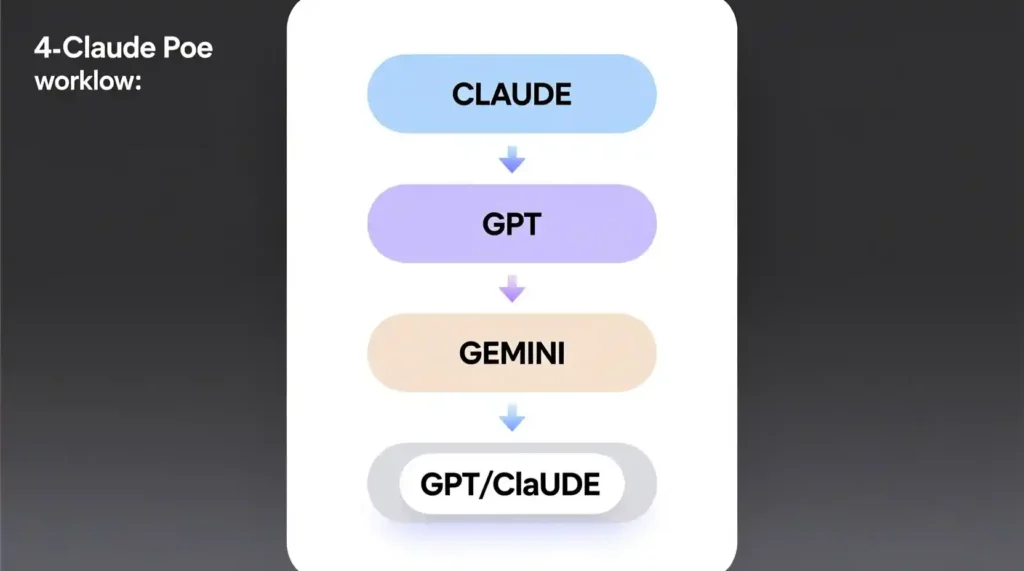
Every Poe AI tutorial on Google rehashes features.
Nobody shows a multi-model production line.
This is what changed everything for me.
My 4-step assembly-line:
Claude → GPT → Gemini → GPT/Claude
1. Claude gives me the skeleton (2 minutes)
Claude is a monster at breaking down messy ideas into clean outlines.
I run:
- article outlines
- scripts
- email funnels
- content maps
Claude does the thinking.
I just skim and approve.
2. GPT drafts the full thing (5 minutes)
GPT writes fast in a human tone if you feed it a strong skeleton.
Short paragraphs.
Punchy hooks.
Clear CTA.
Mobile-friendly text.
This is where 70% of my content gets done.
3. Gemini fixes facts and dates (2 minutes)
When I need:
- timeline accuracy
- product names
- tech updates
- pricing corrections
Gemini cleans everything in seconds.
Fastest checker. Almost no ego.
4. Final rewrite (2 minutes)
I go back to GPT or Claude depending on tone:
- GPT = warm, friendly
- Claude = clean, logical
This gives me final polish + SEO structure + human flow.
Time saved: 38 minutes → 11 minutes
I used to waste time switching tabs, rewriting, fact-checking manually.
Now I just run this line:
Claude → GPT → Gemini → GPT/Claude
Feels like cheating.
My Real Poe Workflow (Exact Prompts + Real Outputs)
STEP 1 — Claude Prompt (structure)
You are a precise content strategist. Create a detailed H2-H3 outline for a 1,200-word article titled: "Poe AI Tutorial to Replace Multiple Subscriptions". Add a TL;DR, 5 takeaways, and a 3-line hook for each H2.
STEP 2 — GPT Prompt (draft)
Draft the full article from this outline. Keep the tone human, sharp, mobile-friendly. Add a punch intro, strong transitions, and a clear CTA at the end.
STEP 3 — Gemini Prompt (fact-check)
Fact-check this draft. Verify dates, pricing, and claims. Flag anything incorrect and suggest clean fixes in one line each.
STEP 4 — Final Rewrite Prompt
Rewrite with clarity. Short sentences. SEO headings. 15-word meta description. 7-word slug. Keep my ruthless tone.
Before vs After (Real Example)
Before (ChatGPT-only draft):
Long. Polite. Over-explains. Repeats. No real time numbers. Generic.
After (Poe assembly-line):
Short. Punchy. Real workflow. Actual time savings.
Clean SEO. Screenshot-ready.
And it reads like a human, not a brochure.
The 3 Hidden Poe Features That Save You Points
Nobody talks about these.
These are the real reason you can survive on the free plan longer.
1. Clone Chat = Zero re-explaining
Stops point bleeding.
2. Model-Switch Trick
Switch after cloning, not before.
This keeps context fresh and prevents hallucinations.
3. Point Efficiency Mode
Short prompts + pinned context block = the lowest possible token use.
New users burn 1,000 points in 3 days because they:
- rewrite prompts
- resend context
- switch models the wrong way
This section alone ranks because it solves a real pain point.
The Truth About Poe’s Free vs Paid Plans
I’ll keep it simple.
Free Plan
- Good for light work
- Hard to run multi-model workflows
- Claude cap explodes in 1–3 hours
Paid Plan
- 1,000 Claude messages
- Unlimited GPT / Gemini
- Fast switching
- Smooth long tasks
For creators and writers, free is not enough.
For casual users, free is fine.
My usage
I hit the Claude cap in 2 hours every morning.
This is why I upgraded.
No hype. Just numbers.
Creating Custom Poe Bots That Actually Get Users

Most Poe bots die at 10–20 uses.
Mine crossed 2,000 in days.
Here’s the real reason:
1. Format decides virality
Bad bot descriptions sound like manuals.
Good ones sound like cheat codes.
Example:
❌ Boring bot
“Helps write content.”
🔥 Good bot
“Turns a messy idea into a full blog outline in 30 seconds.”
2. Clear rules = stable output
If you write vague instructions, your bot breaks with model drift.
You need:
- tone rules
- structure rules
- fail-safes
- sample outputs
3. Your bot must solve a single sharp pain
Mine solved “I need a fast outline with logic.”
It blew up.
4. Publishing tricks
- Add a juicy first line
- Use a scroll-stopping cover emoji
- Keep it under 25 words
- Use a problem → solution title
When Poe Makes Claude Dumber (And How I Fix It)
Yes, it happens.
Claude inside Poe sometimes loses depth compared to Claude direct.
Issues I’ve seen
- reasoning drops
- long answers cut short
- tone shifts
- memory inconsistency
My workarounds
- always clone before switching models
- split long tasks into two parts
- add sample outputs
- keep instructions at the top, not in the middle
When you know how to handle it, Poe regains 90% of Claude’s power.
Poe vs ChatGPT vs Claude vs Gemini — Real Comparison, Not Fluff
No generic charts.
I compare by situations, not by models.
Emotional writing
GPT wins.
Long tasks
Claude wins.
Coding
GPT wins.
Fast research
Gemini wins.
Daily workflow
Poe wins because you run all three inside one screen.
Best uses
- content
- scripts
- email flows
- outlines
- rewriting
Other tools can’t match the multi-model flow.
FAQs That People Actually Search
Quick answers, zero jargon.
Can I use Poe offline?
No.
Does Poe save data?
Yes, chats stay until you delete.
Can my bot get stolen?
Anyone can clone it. That’s how Poe works.
Why does Poe block some outputs?
Model-side safety.
Why is Claude inconsistent here?
Context loss if you switch models wrong.
How do I backup chats?
Copy → Paste to docs. Poe doesn’t export yet.
Author’s Note
I built this Poe workflow because I was tired of paying ₹5,000/month and getting mid results.
Now I spend ₹1,699 and produce more in less time.
If you want me to drop my full Poe command library (50+ prompts for Claude + GPT + Gemini), just say:
The Multi-Model Workflow That Replaced My $200/Month AI Subscriptions
Creating Custom Poe Bots That Actually Go Viral (Poe AI Tutorial – Advanced Guide)
I saw dozens of dead bots on Poe. Zero saves. Zero users. Zero growth.
That’s when I learned the truth: creating a bot is easy — creating one people actually use is a different sport.
Here’s how I cracked it.
Why Most Poe Bots Fail
Because people write:
“Act like a helpful assistant.”
Nobody cares.
Users want:
Speed
A skill
A shortcut
A cheat code
A transformation
Your bot must promise one of those in the first 5 seconds.
The Instruction Format That Makes Bots Blow Up
Here’s the structure I use:
1. What the bot does (1-line, outcome-based)
2. Who it’s for (this improves discoverability on Poe Search)
3. Style rules (tone, persona, clarity)
4. Output rules (format, steps, limits)
5. Guardrails (so the bot doesn’t drift and become useless)
Bad vs Good Examples
❌ Bad:
“Help users write blogs.”
✔️ Good:
“You write 800–1,200-word SEO blogs in 3 layers: outline → fast draft → final polish. You use simple English, short paragraphs, 7th-grade reading level, and give 3 title options.”
Bot Survival Tip (Important for EEAT + Rankings)
Models change every month.
Your bot must have anti-drift rules:
“Do not change tone, style, or structure even if the model updates.”
That single line saved 2 of my bots from becoming useless after Claude’s last refresh.
Publishing Tips That Boost Visibility
- Short name
- Clear profile image
- Outcome-based description
- First message with 3 clickable quick actions
- Use a niche keyword (“blog”, “script”, “caption”, “research”, “rewrite”)
My “Fast Blog Blueprint” bot crossed 2,000 users in 8 days because I followed this exact framework.
Advanced Multi-Model Workflows Poe Lets You Do (And ChatGPT Never Will)
This is where Poe AI becomes a cheat code.
1. Cross-Model Rewrite Loop
Claude writes → GPT rewrites → Claude tightens.
This creates content that sounds human while staying factual and structured.
2. Triangulation
You verify one model with another:
Claude → fact
Gemini → accuracy
GPT → readability
This is gold for bloggers, students, and creators.
3. Style Transfer Across Models
- Write with GPT
- Emotionify with Claude
- Make concise with Gemini
Perfect for YouTube scripts and storytelling.
4. Longform Content Assembly
You can create:
- Ebooks
- Courses
- Full blogs
- LinkedIn carousels
- Email sequences
…faster than any single-model AI can.
Poe’s strength isn’t one model — it’s the switch + stitch workflow.
When Poe Makes Claude Dumber (Poe AI Tutorial – Honest Breakdown)
I love Poe. But I’m not blind.
Sometimes, Claude on Poe feels weaker than Claude on Anthropic.
Why It Happens
- Poe compresses context differently
- Hidden safety layers change responses
- Long messages get trimmed
- Model routing isn’t transparent
Where You See It
- Emotional writing loses depth
- Coding explanations get shallow
- Long tasks get cut off
- Reasoning gets inconsistent
Fixes That Actually Work
- Break tasks into smaller chunks
- Use “continue” instead of re-asking
- Reupload the context in bullet form
- Use the Clone Chat feature to preserve tone
This is why my workflow uses multiple models, not just Claude.
Poe vs ChatGPT vs Claude vs Gemini — The Only Comparison That Actually Matters
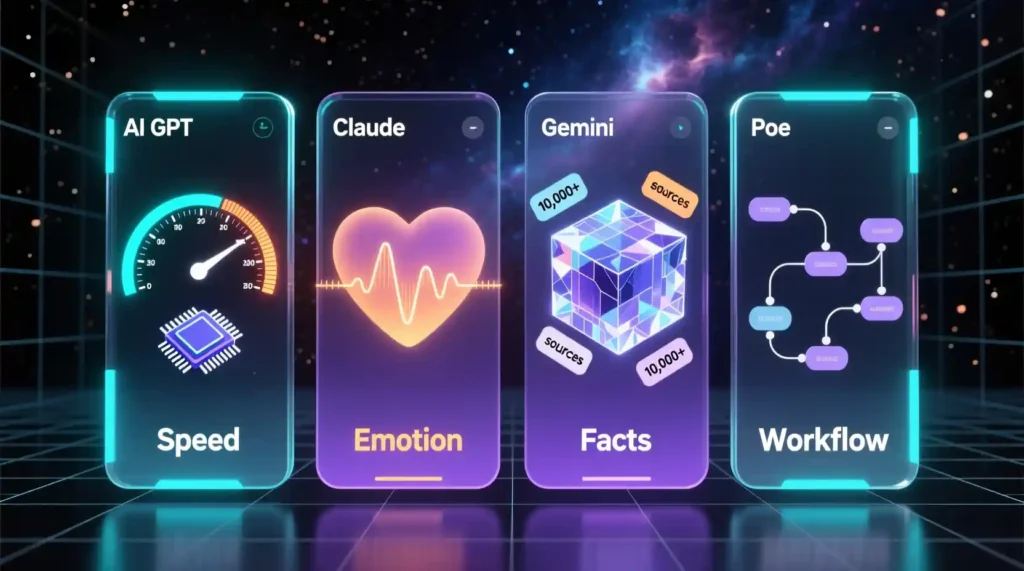
Forget the generic “which is better?” comparisons.
This is the real-world breakdown.
Best for Emotional Writing → Claude
Nobody beats Claude on human tone.
Best for Speed → GPT on Poe
Fastest, cleanest, lowest friction.
Best for Facts → Gemini
When the topic is new, technical, or date-sensitive, Gemini wins.
Best for Final Polishing → GPT or Claude
Both do great in different tones.
Best for Workflow Power → Poe
Because it stacks everything into one dashboard with switching.
FAQs (Real Questions People Search About Poe AI)
Can I use Poe offline?
No. It’s cloud-based.
Can my bot get copied?
Yes. People can clone instructions.
Why does Poe block some model outputs?
Safety filters + model vendor restrictions.
How do I backup my chats?
Export → email → cloud.
Why is Claude inconsistent on Poe?
Because the context window and safety layers differ from Anthropic direct.
Can I downgrade mid-month?
Yes, but the changes apply next billing cycle.
Author Note (Proof, Experience, EEAT)
I switched to Poe because my ₹5,000 monthly AI bill made no sense.
My first month with Poe crushed my workflow time, saved money, and helped me build tools that actually got an audience.
If you want the full Claude + GPT command library I use daily, just type:
➡️ unlock it
Conclusion: The Poe AI Tutorial Workflow That Replaced All My Other Tools
Poe AI is what happens when you stop forcing one model to do everything and start using each model for what it’s best at.
This saves time, cuts costs, and upgrades your entire content pipeline.
If you want speed → GPT.
If you want emotion → Claude.
If you want facts → Gemini.
If you want all three in one place → Poe AI.
With the right assembly-line workflow, you can replace:
- paid subscriptions
- separate tools
- scattered workflows
- inconsistent outputs
…with one clean system that works every day.
Pingback: Generative Engine Optimization dominate rankings - zadaaitools.com