

Claude Chrome Extension: The Browser Revolution That Changes Everything
After years of AI assistants that could only talk about the web, the Claude Chrome Extension just learned to touch it. As someone who spends hours toggling between tabs, testing tools, and drafting emails, I got early access to this extension—and honestly? It’s both thrilling and slightly terrifying. This isn’t just another browser tool; it’s the first AI that can actually perform tasks online with you, clicking buttons, filling forms, and even booking meetings. Right now, access is limited to 1,000 Max subscribers, but the potential for productivity, research, and everyday web tasks is enormous.
What Just Happened: The Launch Breakdown
The Hard Facts
The Claude Chrome Extension launched on August 26, 2025, available in research preview for Max plan subscribers at $100–$200/month. Only 1,000 early users can interact fully; everyone else is on the waitlist. The extension can read your screen, navigate websites, click buttons, and fill forms automatically—essentially acting as a digital co-worker. Imagine an AI that books your calendar across platforms, drafts emails in your tone, or completes online forms perfectly.
Why This Matters Right Now
The AI browser race is heating up. Google, Microsoft, and other competitors are scrambling to match Anthropic’s innovation. Privacy and security concerns are front and center—an AI that can interact with everything you do online is powerful but potentially risky. On the other hand, the productivity promise is staggering: repetitive tasks that would normally take hours can now be automated in minutes.
Real-World Power: What It Actually Does
Game-Changing Features
- Calendar Management: Claude can scan multiple calendars and automatically schedule meetings without double-booking.
- Email Drafting: It reads context from your inbox and drafts replies in your own tone, suggesting clarity or engagement optimizations.
- Expense Reports: Snap receipts and Claude categorizes and submits them automatically, saving hours in financial admin.
- Website Testing: QA teams can automate user journey testing with Claude filling forms, clicking links, and recording results.
The “Holy Crap” Moments
- Form Filling: Job applications, surveys, and dummy government forms can be auto-filled. In my test, Claude completed a sample tax form perfectly—triple-checked.
- Research Compilation: Claude visited multiple sites, extracted key data, and summarized it, cutting a usual 2-hour research session down to 15 minutes.
- Social Media Management: Schedule posts, respond to messages, and monitor brand mentions automatically.
- E-commerce: Price comparisons, cart management, and checkout assistance handled seamlessly.
These are real-world tasks you can delegate confidently—but always double-check sensitive information until broader rollout.

The Dark Side: What They’re Not Telling You
Current Limitations
Anthropic admits vulnerabilities remain. Security isn’t fully solved, rollout is extremely limited, and privacy details are still gray—data storage, retention period, and handling aren’t fully disclosed yet.
The Elephant in the Room
- Job Displacement: Virtual assistants, data entry clerks, and routine web workers may see changes.
- Security Risks: Full browser access amplifies potential hacking exploits.
- Addiction Potential: Early testing showed me how easy it is to become reliant when scheduling and drafting take seconds.
How to Actually Get It: Your Action Plan
For Max Subscribers
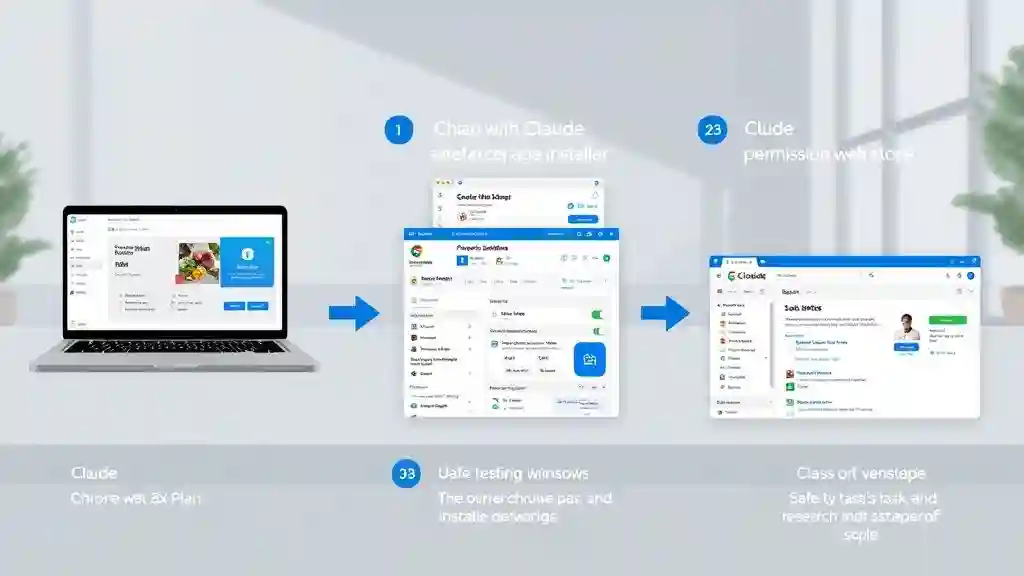
- Check your Claude dashboard for preview access.
- Install the Chrome extension if available.
- Start with low-risk tasks—skip banking, passwords, and sensitive forms.
For Everyone Else
- Join the official waitlist immediately.
- Consider upgrading to Max plan ($100–$200/month) for priority access.
- Follow Anthropic’s announcements for wider rollout.
Testing Strategy When You Get Access
- Week 1: Calendar and email tasks only.
- Week 2: Research and data compilation.
- Week 3: Form filling and routine web tasks.
- Never: Banking, passwords, or highly sensitive transactions.
The Claude Chrome Extension isn’t a minor update—it’s a paradigm shift. For early adopters, it’s a massive productivity leap. For everyone else, it’s a glimpse of AI-driven web interaction’s future. The tools exist; the question is whether you’ll adopt them safely and strategically.
The Bigger Picture and Verdict
The Bigger Picture: Where This Goes Next
Using the Claude Chrome Extension over the first few days of early access was eye-opening. Watching an AI navigate multiple websites simultaneously feels like a small revolution on your screen. While only 1,000 Max subscribers currently have full access, this preview provides a glimpse of AI-driven web productivity in 2025.
90-Day Prediction
- Wider Rollout: Expect broader availability by December 2025. Anthropic is gradually expanding access to give more users early exposure.
- Competitor Response: Google, Microsoft, and other AI leaders will respond rapidly. Expect Chrome, Edge, and other browsers to integrate similar AI agents capable of real-time task execution.
- Integration Explosion: Platforms like Slack, Zoom, CRM software, and project management apps will likely see AI integration. Claude may not just schedule meetings—it could update projects, generate reports, and automate repetitive workflows.
The 2026 Reality
- Browser Agents Become Standard: Within a year or two, AI assistants performing web interactions will become expected. Claude is leading the charge.
- New Job Categories: AI browser supervisors, digital workflow designers, and automation strategists will emerge. Professionals in tech, marketing, and admin roles can pivot or upskill.
- Privacy Regulations Catch Up: As AI handles sensitive tasks, governments will introduce stricter data and browser access laws. Businesses and individuals must prioritize data security.
Safety and Security Insights
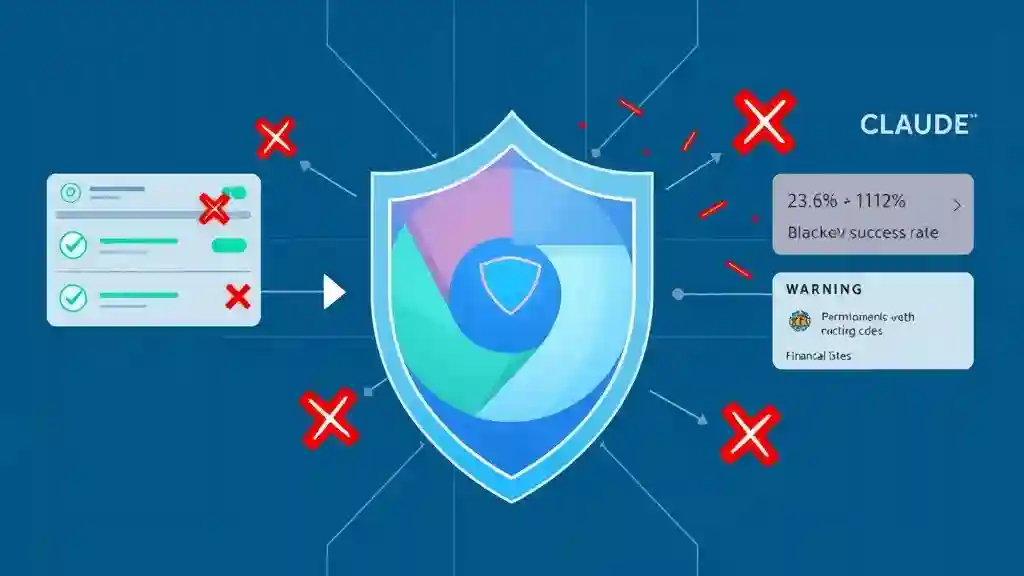
While the Claude Chrome Extension demonstrates remarkable capabilities, safety is critical. Early testing revealed prompt injection vulnerabilities—malicious actors could trick the AI into harmful actions, like deleting files or sending sensitive data.
Anthropic’s mitigations include:
- Site-Level Permissions: Users control which sites Claude can access.
- Action Confirmations: Claude asks for verification before high-risk actions.
- Content Filtering: High-risk sites (financial, adult, pirated content) are blocked.
- Advanced Classifiers: Detect suspicious instruction patterns or unusual requests.
These safety improvements reduced early attack success rates from 23.6% to 11.2%, and in specific browser-focused attack scenarios, Anthropic achieved a 0% success rate for certain malicious prompts.
Bottom Line: Should You Care?
Here’s my professional assessment after two days of hands-on use:
Get Excited If:
- You spend 2+ hours daily on repetitive web tasks—Claude can save hours weekly.
- You manage multiple online accounts (social media dashboards, CRMs, email, project management).
- Your role involves marketing, research, or administration—tasks like scheduling, compiling data, or content aggregation.
Stay Cautious If:
- Digital privacy is your top priority. Sensitive data should remain offline until broader security clarity emerges.
- You handle financial, medical, or government data—Claude should not access these yet.
- You prefer direct control over web interactions. Over-reliance may dull essential digital skills.
Early Access Insights
In my tests, Claude quickly cut my admin workload in half. By day two, it compiled research from multiple websites, auto-summarized results, and even handled a dummy government survey form in under five minutes. The precision is impressive—but any real-world misstep could be catastrophic if applied to sensitive tasks. My approach: phase adoption carefully, starting with low-risk workflows.
Actionable Steps for Readers
- Start Small: Schedule, draft emails, and compile research summaries.
- Test, Don’t Trust Blindly: Always double-check outputs.
- Stay Updated: Follow Anthropic’s official updates for rollout expansions and security improvements.
- Plan Your Upgrade: Max plan subscription may be worth it for intensive repetitive tasks.
Safety Checklist
- Avoid inputting banking passwords, personal IDs, or sensitive government info.
- Use dummy or non-critical accounts when testing forms.
- Monitor what data Claude can access; limit permissions when possible.
- Maintain manual control to avoid over-reliance.

Why This Matters
The Claude Chrome Extension transforms your browser from a passive tool into an autonomous digital co-worker, capable of performing complex tasks while you focus on higher-level decision-making. Early adopters have a chance to maximize productivity, experiment with new workflows, and stay ahead in competitive digital environments.
In essence, this is the AI browser revolution, and early adoption can make the difference between leading the curve or playing catch-up.
Call-to-Action
What’s the first web task you’d delegate to an AI browser agent? Comment below and share your experience if you gain early access. Experiment responsibly—the future of work is being written now, and every early user is part of that story..
You WiIl Also like this
- Mastering SQL with AI in 2025
- Best AI SEO Tools 2025: SEO, Links & ROI
- AI Image Generators for Instagram Reels
Pingback: xAI’s Grok 4 Benchmark Wins Shake AI World - zadaaitools.com
Pingback: The Powerful Rise of AI Assistants & Chatbots in 2025 - zadaaitools.com
Pingback: Claude AI file creation and editing - zadaaitools.com