AI Checkers: Complete Guide to Detecting AI-Generated Content in 2025
Introduction
Let’s be real — it’s getting harder and harder to tell who’s writing what. In 2025, with tools like ChatGPT, Claude, and Gemini creating mind-blowingly realistic text, the line between human and machine has almost disappeared. That’s where AI checkers come in — tools built to spot the digital fingerprints of artificial intelligence hiding in plain sight.
If you’re a teacher grading essays, a content creator protecting your voice, or a developer checking for AI-written code, AI checkers are your best friends right now. They don’t just point fingers — they help bring back authenticity, trust, and originality in a world that’s getting noisier by the minute.
What Are AI Checkers and Why They Matter
Understanding AI Detection Technology
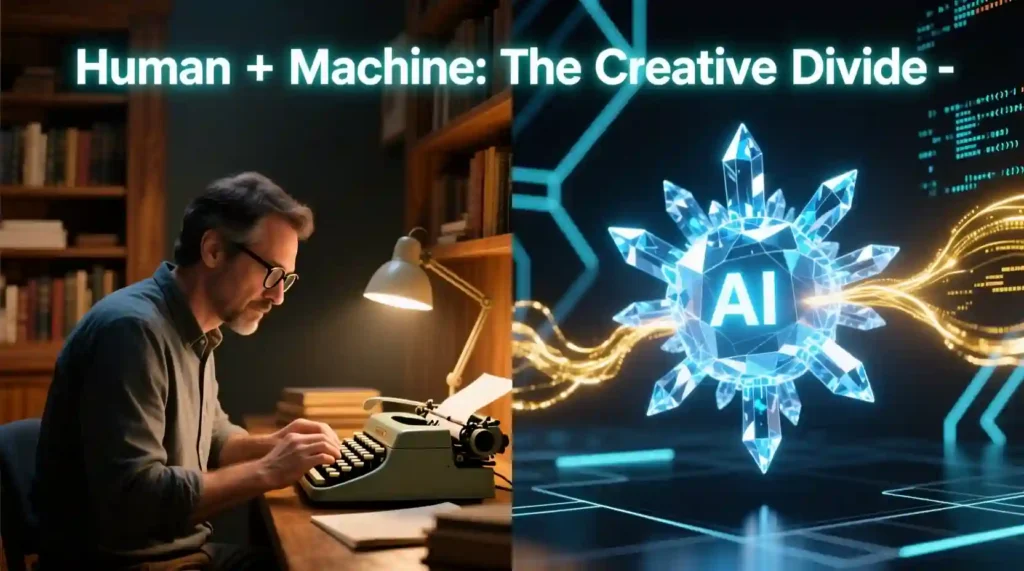
AI checkers don’t “feel” writing like humans do — they analyze it.
They dig deep into sentence structure, rhythm, and tone. They look for things humans do naturally — little quirks, mistakes, pauses — and the things AI tends to miss.
Here’s what they scan for:
- Repetitive sentence patterns that sound too clean
- Perfectly consistent tone (real people don’t sound that smooth all the time)
- Lack of raw emotion or personal stories
- Word frequency patterns that match known AI outputs
It’s like a digital lie detector for text.
Why AI Checkers Are Becoming a Big Deal
AI writing isn’t just in classrooms anymore. It’s everywhere — blogs, product pages, scripts, even resumes.
Here’s why AI checkers matter now more than ever:
- Academic Integrity – Teachers and universities are fighting back against AI-assisted plagiarism.
- Content Authenticity – Publishers want real voices, not AI regurgitation.
- SEO Protection – “Google prioritizes people-first, original content. Mass-produced, AI-only articles with no added insight often rank poorly — not because they’re AI-written, but because they lack expertise, depth, or authenticity
- Professional Credibility – Brands need human insight and tone in every piece of communication.
It’s not about banning AI — it’s about keeping human creativity alive and recognizable.
Best AI Checkers for Text and Content Detection (2025)
Let’s break down the tools that are actually worth your time.
Premium AI Checkers with High Accuracy
Originality.ai
If you run an agency or a blog empire, this is your go-to.
- Detects GPT-5, ChatGPT, Claude, Gemini — basically all major AI models
- 99.4% accuracy on AI-generated content
- Built-in plagiarism checker, readability test, and fact-checker
- Clean dashboard that even non-techies can use
- Pricing: from $14.95/month
- Best for: Agencies, content creators, and publishers
Copyleaks AI Detector
This one feels like a digital truth serum for text.
- Over 99% accuracy
- Detects mixed human + AI writing (super useful for edited drafts)
- Works in 30+ languages
- Has an API for websites or LMS integration
- Pricing: starts at $9.99/month
- Best for: Schools, universities, and enterprise teams
Winston AI
This one’s all about trust and precision.
- 99.6% accuracy
- Works even on scanned PDFs (OCR detection!)
- Checks plagiarism side by side
- Pricing: from $12/month
- Best for: Academic users and publishers verifying large batches of content
Free AI Checkers That Actually Work
GPTZero
The one that started it all — and it’s still free for basic use.
- Detects GPT-4, Claude, Gemini
- Highlights AI-generated lines word by word
- Has a Chrome extension
- Pricing: Free for 5,000 words/month; premium from $10/month
- Best for: Teachers and individual users
Scribbr AI Detector
Clean, fast, and surprisingly accurate for a free tool.
- Checks up to 500 words free
- 84% accuracy on GPT-4 text
- No sign-up needed
- Pricing: Free basic, $19.95/month for premium + plagiarism check
- Best for: Students and quick verification
Grammarly AI Detector
Perfect if you’re already using Grammarly daily.
- Detects GPT-3 and GPT-4
- Free, built right into your Grammarly dashboard
- Pricing: Free
- Best for: Casual users, bloggers, and everyday writing
Specialized AI Checkers for Unique Needs
QuillBot AI Detector
Not only spots AI — it helps you fix the tone.
- Gives detailed “AI probability” reports
- Suggests edits to humanize writing
- Pricing: included with QuillBot premium
- Best for: Writers improving paraphrased or hybrid content
ZeroGPT
Simple, unlimited, and reliable.
- No word limits
- Highlights AI text
- Supports multiple document types
- Pricing: Free
- Best for: Bulk content checks
Sapling AI
Aimed at teams and companies.
- AI detection for business communication
- Team dashboards and reports
- Pricing: custom enterprise plans
- Best for: Corporate workflows and communication teams
AI Checkers for Code Quality and Detection
The Silent Problem in Development
AI writing isn’t just taking over blogs and essays — it’s sneaking into codebases too.
From GitHub snippets to Stack Overflow answers, AI-written code is everywhere. It looks neat, it runs, but here’s the catch — it might hide bugs, inefficiencies, or even licensing issues.
That’s why AI code detectors and analyzers matter. They don’t just spot AI-written code — they help developers maintain code quality, ethics, and originality in their projects.
AI-Powered Code Analysis Tools
PyCharm with AI Assistant
JetBrains’ PyCharm just got smarter. Its new AI Assistant reads your code like a human reviewer — except faster.
- Real-time detection of AI-style patterns
- Flags suspiciously “perfect” or repetitive code
- Suggests cleaner and more efficient logic
- Full IDE integration
- Pricing: $24.90/month for individuals
- Best for: Professional Python developers and software engineers
Imagine you’re reviewing a pull request that looks too polished. This tool can hint that it may have come straight from Copilot or ChatGPT.
Workik AI Code Analyzer
If PyCharm feels too individual, Workik is built for teams.
- Detects inefficient or auto-generated code
- Works with Python, Java, JavaScript, C++
- Comes with automatic code review
- Integrates into CI/CD pipelines
- Pricing: Custom for enterprises
- Best for: Development teams and CTOs monitoring AI-generated commits
This tool is ideal if your company relies on human-written algorithms or needs to verify code origin for audits.
GitHub Copilot Detection Tools
GitHub itself doesn’t flag AI-written code yet, but several third-party tools do.
They track:
- Authorship signatures in commits
- Similarities to public training data
- Overlap with AI-generated suggestions
Best for: Open-source maintainers and security auditors ensuring compliance with AI-use policies.
Traditional Code Quality Tools (Non-AI but Still Useful)
Pylint
While not AI-powered, it’s a developer’s old-school watchdog.
- Follows Python’s PEP 8 guidelines
- Flags bad practices and errors
- Helps keep AI-generated code consistent with human standards
- Pricing: Free and open-source
- Best for: Beginners or freelancers double-checking their scripts
Sometimes, blending traditional tools like Pylint with AI detectors gives the best results — logic + linguistic patterns combined.
How to Choose the Right AI Checker
By Use Case
For Educators
You’re grading essays, spotting copy-paste AI work, and teaching digital ethics.
Go for:
- GPTZero – Free, simple, designed for teachers
- Copyleaks – School-level accuracy and admin dashboards
- Turnitin AI Detector – Integrates with classroom LMS systems
Tip: Always talk to students before concluding. AI detection should start a discussion, not end one.
For Content Creators & Marketers
You’re producing content fast but still need that authentic, human spark.
Go for:
- Originality.ai – Deep scan for AI + plagiarism
- Winston AI – Balanced accuracy and cost
Tip: If your blog is SEO-driven, cross-check your content before publishing. Even slightly AI-sounding text can affect Google ranking.
For Developers
You’re working in teams, reviewing code, and keeping codebases clean.
Go for:
- PyCharm AI – Works in real-time during development
- Workik AI – Perfect for multi-dev teams
💬 Tip: Use detection reports to refine your workflow — not punish AI use. The goal is to improve human understanding, not gatekeep innovation.
For Casual Users
You just want to know, “Did AI write this?”
Go for:
- Scribbr – No login, quick result
- Grammarly AI Detector – Already built into your daily writing tool
Tip: Use these free tools to test your curiosity — they’re simple and light.
By Budget
Free Tools
- GPTZero basic
- Scribbr (limited 500 words)
- Grammarly AI Detector
- ZeroGPT (unlimited free)
Perfect for: Students, small creators, casual users
Budget-Friendly ($10–$20/month)
- Winston AI
- Originality.ai Starter
- GPTZero Premium
Perfect for: Freelancers, solo creators, blog editors
Enterprise ($50+/month)
- Copyleaks
- Sapling AI
- Workik AI
Perfect for: Businesses, agencies, universities
Quick Comparison Table
| Use Case | Best Tools | Free Option | Paid Option | Accuracy |
| Education | GPTZero, Copyleaks | ✅ GPTZero | 💲 Copyleaks | ⭐⭐⭐⭐ |
| Content Creation | Originality.ai, Winston AI | ✅ Scribbr | 💲 Originality.ai | ⭐⭐⭐⭐⭐ |
| Development | PyCharm AI, Workik AI | ❌ | 💲 Workik AI | ⭐⭐⭐⭐ |
| Everyday Use | Grammarly AI Detector | ✅ Grammarly | ❌ | ⭐⭐⭐ |
Limitations of AI Checkers You Need to Know
“In early 2025, a university in Canada suspended a graduate student after Copyleaks flagged her thesis as 92% AI-generated. Upon review, her advisor confirmed the writing matched her prior work — but her heavy use of Grammarly and non-native fluency triggered a false positive. The case sparked campus-wide policy reforms on AI detection use.”
Let’s be honest — AI checkers aren’t magic.
They’re brilliant, but imperfect.
False Positives & Negatives
Even top tools like Originality.ai or Copyleaks make mistakes.
- False Positives: Human writing that sounds “too clean” flagged as AI.
(Happens a lot with ESL writers or editors who polish too much.) - False Negatives: Smartly edited AI content passes detection.
- Paraphrasing Loophole: Tools like QuillBot or Humanizer apps can fool basic detectors.
Lesson: Always double-check results manually.
Adversarial Tricks
Some users try to beat AI checkers using sneaky hacks like:
- Adding small grammar mistakes
- Mixing outputs from different AIs
- Using “humanizer” rewriters
- Changing word order manually
The cat-and-mouse game between AI writers and AI checkers is endless.
Ethical Concerns
There’s another layer to this conversation — morality.
- Privacy: Uploading sensitive text means trusting third-party servers.
- Bias: Non-native speakers often get flagged unfairly.
- Over-Reliance: Teachers or employers relying only on AI checkers can cause real harm.
AI detection should support human judgment, not replace it.
The Future of AI Checkers

Where It’s All Headed
Here’s the truth: AI writing isn’t slowing down — it’s accelerating.
Every new model (like GPT-5 or Claude Next) sounds more human, writes with deeper logic, and mirrors emotional rhythm better than before. And that means AI checkers have to evolve just as fast — or faster.
We’re stepping into a world where your essay, your blog post, even your code might need proof of being human. The next wave of AI checkers isn’t just scanning words — it’s tracking behavior, writing flow, and authorship fingerprints.
Emerging Technologies in AI Detection
1. Watermarking
AI companies are now building invisible digital “signatures” into text — like DNA markers.
These watermarks help AI checkers confirm whether a piece was AI-generated.
- Hidden statistical patterns are embedded in text when AI writes it
- Detectors can identify and match these to specific models (like GPT or Claude)
- Works silently in the background without changing how the content looks
Example: In 2025, OpenAI’s experimental watermarking lets universities verify whether text was made by ChatGPT with near 98% reliability.
2. Blockchain Verification
Blockchain is stepping into the authorship world. Imagine having a timestamped proof of your writing identity — unchangeable, public, and permanent.
- Authorship is recorded on-chain the moment you create content
- Any AI-modified or plagiarized version fails authenticity checks
- Builds trust in journalism, academia, and business communication
Think of it like a digital “I wrote this” certificate — forever attached to your name.
3. Behavioral Analysis
AI checkers are beginning to look beyond text and into how it’s written.
- They track typing rhythm, edit history, and sentence evolution
- They analyze hesitation, backspacing, and thinking pauses
- Helps prove if real humans wrote it (AI doesn’t “think,” it generates instantly)
Example: Google’s experimental Classroom AI uses keystroke dynamics to confirm authentic student work without even needing to read the content itself.*
4. Advanced Linguistics
New detectors focus on creative reasoning — the one thing AI still struggles with.
They scan for:
- Emotional inconsistency (real humans waver)
- Spontaneous analogies
- Contextual empathy and sensory description
- Genuine mistakes that follow thought patterns
The next-gen checkers don’t just ask “who wrote this?” — they ask “who felt this?”
The Arms Race: AI vs. AI
Every time a new AI model drops, it gets trickier to detect.
The detectors catch up, and then the AIs evolve again — like an endless tug-of-war.
Here’s what this looks like in 2025:
- GPT-5: More context-aware and emotionally nuanced, almost impossible to flag by pattern alone.
- Claude Next: Learns from user tone and adapts emotionally — making it blend into human writing styles.
- Gemini: Cross-analyzes images + text, adding realistic creativity to its responses.
So, what happens?
AI checkers start building real-time analysis into writing apps.
You’ll see small flags pop up while you type, alerting you that your phrasing matches known AI outputs.
Detection will shift from “after-the-fact” to “as-you-write.”
Best Practices for Using AI Checkers
1. Don’t Rely on Just One Tool
No single AI checker is flawless.
Use two or three together to confirm accuracy.
Example combo:
- GPTZero for surface detection
- Originality.ai for deep analysis
- Scribbr or Grammarly for readability and tone check
The overlap gives you confidence without false alarms.
2. Always Understand Context
Before trusting any AI score, pause and think:
- Does the text sound like the writer’s usual tone?
- Is it overly smooth or structured?
- Could a student have simply used Grammarly or QuillBot?
AI checkers are powerful, but context — human judgment — is what makes results meaningful.
3. Combine AI Detection with Human Review
Always read what the checker flags.
Sometimes a perfectly human story gets marked as “AI” just because it’s cleanly written.
What to do:
- Manually review flagged sentences
- Ask for context from the writer if needed
- Treat detection as a starting point, not a final verdict
AI checkers assist — they don’t decide.
Ethics and Responsibility in AI Checking
The Fine Line Between Safety and Distrust
AI checkers can protect authenticity, but they can also create paranoia.
Imagine a student wrongly accused, or a creator flagged by mistake. That’s why we need transparency, fairness, and human judgment.
Responsible use looks like:
- Explaining why content was flagged
- Allowing human review before punishment
- Avoiding discrimination against ESL writers
In the end, these tools should protect creativity, not police it.
Final Recommendations (2025 Edition)
Here’s the human answer — not just the technical one.
If you’re just starting out:
Use GPTZero or Scribbr for free to test things out.
If you’re building serious content or running a site:
Go for Originality.ai or Winston AI for accuracy and reliability.
If you’re a developer or team lead:
Try Workik AI or PyCharm AI Assistant for in-code detection and workflow safety.
And always remember — detection is not about fear.
It’s about balance — using technology to keep authenticity alive.
The Real Takeaway
AI checkers aren’t enemies of creativity — they’re mirrors.
They reflect how fast technology evolves and how much we still value human touch.
So use them wisely:
- To protect your integrity
- To validate your originality
- To remind the world that behind every screen, there’s still a heartbeat writing
Pingback: Apriel 15B vs Google Gemini 2.5 Flash 2025 Single-GPU AI - zadaaitools.com