

The Foundation — How AI Website Builder works (Even If You’re a Complete Beginner)
(Part 1)
Forget the Old Internet Struggle
Let’s be real — building a website used to be hard. You’d spend nights wrestling with HTML, resizing images pixel by pixel, and praying your layout didn’t explode on mobile. That era’s dead.
Now, AI doesn’t just help you build — it builds with you. It designs, writes, and structures things faster than you can make a cup of coffee. But here’s the truth most people skip: AI can’t think for you. Before you hit “generate,” you’ve got to know why your site exists and who it’s for. That’s your foundation.
1. Know Your Purpose Before You Pick a Tool
AI tools are like smart assistants — they follow orders. But they can’t guess your mission. So before anything else, ask yourself:
- Do I want to share ideas or stories? (→ Blog or content site)
- Sell stuff or take bookings? (→ E-commerce or service site)
- Build a space for people? (→ Membership or community)
- Or just show off my work? (→ Portfolio or personal brand)
Every purpose changes how your AI should build.
| Website Type | Main Goal | Best Use Case |
| Single Page / Personal Page | Quick intro | Digital CV, freelancer page |
| Blog + E-Commerce | Tell & sell | Creators, lifestyle brands |
| Service + Booking | Book & manage clients | Coaches, stylists, consultants |
| Membership / Forum | Connect & teach | Course creators, clubs |
| Portfolio + Blog | Show + prove | Designers, photographers |
| AI-Driven Store | Personalized selling | Smart product stores |
👉 Once you know your purpose, picking tools becomes 10x easier.
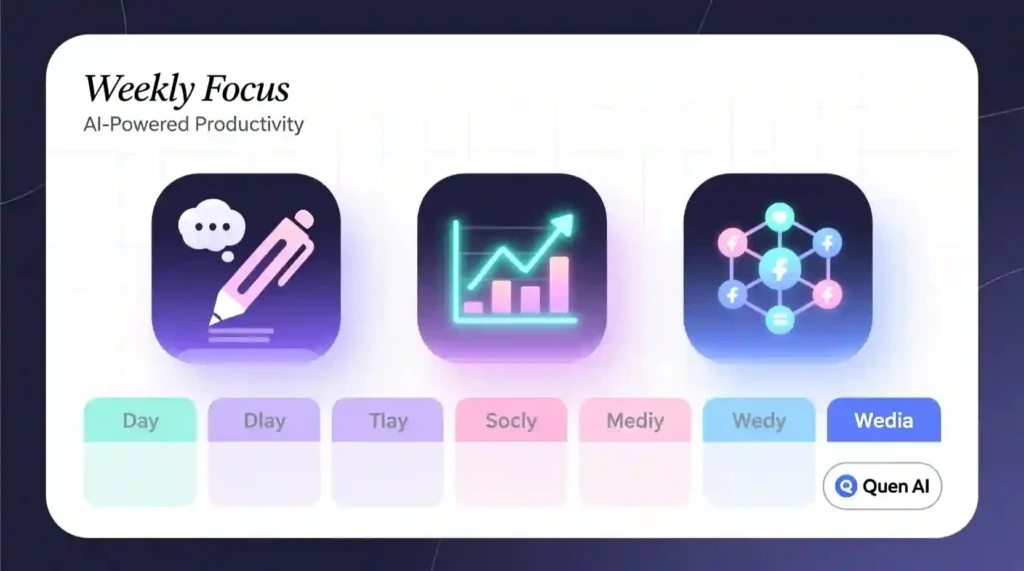
2. Choose the Right AI Website Builder (for Your Type)
You don’t need to touch code anymore. Today’s AI builders do 90% of the heavy lifting — layout, copy, images, all in one go. The trick is matching the tool to your goal.
| Goal | Best AI Tool | Why It’s Great |
| Quick Portfolio | Durable / Framer AI | Gorgeous one-page sites in minutes |
| Blog + E-Commerce | 10Web / Wix AI | Auto-writes blogs, products, and SEO |
| Service + Booking | Hostinger AI Builder / Zyro AI | Forms + scheduling baked in |
| Membership / Community | WordPress + Jetpack AI | Unlimited flexibility |
| Smart Store | Shopify Magic + ChatGPT prompts | Auto product copy + recommendations |
💡 Pro Tip: Framer wins for visuals, but 10Web is faster for beginners. Durable is instant, but not super flexible long-term.
3. Why AI Still Needs You
Here’s the trap: AI websites can look perfect but feel empty.
Google knows it. Visitors feel it.
Your site needs your story — your weird ideas, your jokes, your voice. That’s what makes people stay.
Once AI gives you a draft, don’t copy-paste it.
Do this instead:
- Rewrite your intro in your own voice.
- Add one real moment or mistake you made.
- Use “I” and “you” — not “we” and “thus.”
- Swap stock images for real or AI-edited ones that match your vibe.
AI builds the bones. You bring the heartbeat.
4. Plan Before You Build
Don’t skip this. It’s five minutes that saves hours of regret later.
Write down:
- Your website name and purpose
- Your audience (who’s it for?)
- Your tone (fun, calm, bold, emotional?)
- Main sections (Home, About, Blog, Shop, Contact)
- One sentence of your story (“I started this because…”)
Then tell your AI builder something like:
“Create a modern site for my handmade jewelry brand — friendly, creative, soft tones.”
That short sentence gives AI context. It’s like giving it a personality.
5. What Makes an AI Website Actually Work
Most AI-built sites look okay. Few actually succeed.
Here’s what separates the winners:
| Success Factor | Why It Matters |
| Mobile-First Design | 80% of traffic is on phones |
| Fast Loading | Keeps people from leaving |
| Clear Storytelling | Builds trust |
| E-E-A-T Content | Google rewards experience |
| Visual Consistency | Keeps users focused |
It’s not about perfection — it’s about connection.
6. Real Example: From Blank Idea to Live Blog
Let’s say you want a “Self-Care + Productivity” blog.
You open 10Web, describe it like this:
“A chill blog helping Gen Z manage stress and stay focused with simple daily tips.”
AI creates your homepage, a few categories, and demo posts. Looks good.
Now you:
- Rewrite the first post using ChatGPT (make it your tone).
- Add your real stories (like the time you burned out and found journaling actually worked).
- Use Canva AI to clean your images and make them match your color palette.
By the end of the weekend, you’ve got a legit site live — built, written, and styled by you with AI.
7. The Truth About AI and Websites
AI isn’t here to steal jobs. It’s here to kill excuses.
No more “I don’t know how to code.”
No more “I don’t have time.”
No more “I can’t afford a designer.”
AI handles the heavy lifting — you handle the feeling.
It’s not human vs. machine. It’s human × machine.
That’s the future of web creation.
Fast. Creative. Personal.
Built by you — powered by AI.
Takeaway
If you remember one thing from this:
“AI doesn’t make websites. It makes possibilities. You make it real.”
Part 2 will dive into the next steps — SEO setup, AdSense approval, and fixing the most common beginner mistakes before launch.
PART 2: Designing, Branding & Humanizing Your AI Website Builder
I used to publish sites that looked slick but read like a brochure. People skimmed and bounced. Now I design with feeling first, then let AI handle the grunt work. You get speed plus a voice people actually want to read.
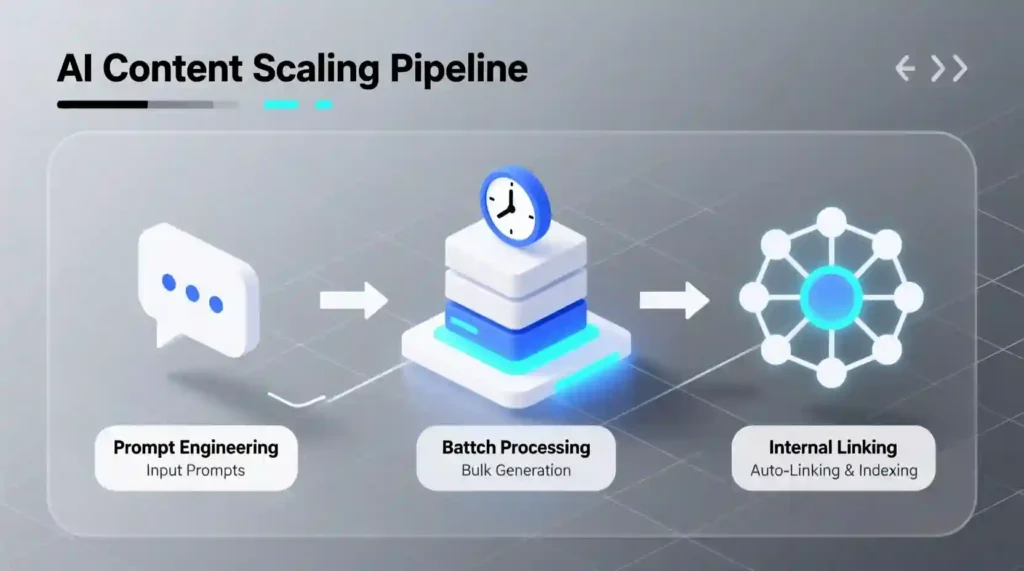
How it Works
- I start with an emotion, not a hex code.
- Pick one feeling for the first 10 seconds: calm, playful, bold, cozy.
- Prompt the AI with that feeling. Example: “Build a warm, safe blog for readers looking emotional help.”
- I let AI build the structure.
- AI handles grids, responsiveness, and image placement.
- I check mobile layout and tweak spacing.
- I add identity and human content.
- Logo, slogan, and a single core color come from me.
- I rewrite copy so it sounds like a real person.
- I mix authentic photos with AI art.
- Use real photos for faces and moments. Use AI for backgrounds and icons.
- Final check.
- Test on phone. Read copy out loud. Compress images. Publish.
Good Points (What AI Actually Nails)
- Speed: a full draft in hours, not weeks.
- Consistency: automatic responsive design and spacing.
- Cheap creativity: instant visuals and placeholder copy.
- Repeatability: deploy similar pages fast across a site.
Limitations (Where AI Falls Short)
- Emotion: AI copies patterns. It cannot invent your lived experience.
- Generic copy: it sounds polished but bland unless you edit.
- Brand nuance: AI suggests palettes that feel safe instead of bold.
- Accessibility gaps: AI misses some readability and tap-size issues. You must check those.
- Over-reliance: publish without personal edits and your site will feel empty.
Comparison (Quick Tool Callouts)
- Framer AI – Best for bold visuals and pixel control. Use it when design is the show.
- Durable – Fastest for one-page personal sites. Good for launch speed.
- 10Web / Wix AI – Better for blog + commerce combos and quick SEO scaffolding.
- Canva Brand Kit – Great for logo experiments and refining brand assets.
- Leonardo.ai / Adobe Firefly – Use for abstract backgrounds and concept art. Not for portraits.
- Shopify Magic + ChatGPT prompts – Use these together for product pages and smart recommendations.
Pick Framer or Durable for looks. Pick 10Web or Wix if you want content + store features faster. Use Canva to humanize the visuals.
Best Users (Who Benefits Most)
- Creators launching a personal blog or newsletter this weekend.
- Small shops that need product pages and quick copy.
- Freelancers who want a simple portfolio with real voice.
- Course creators building membership landing pages.
If you need massive custom back end or enterprise grade control, plan for developer help later.
Final Benefits (What You Actually Get)
- A site that goes from zero to live fast.
- Real human voice that builds trust and repeat visits.
- Mobile-first pages that keep readers scrolling.
- A repeatable workflow: AI drafts, you humanize, you ship.
Quick Action Checklist Before You Publish
- Emotion: Does the homepage hit the feeling you chose?
- Voice: Read the intro out loud. Does it sound like you?
- Images: Replace at least one stock photo with a real image.
- Mobile: Font 16px or above. Buttons tappable. No horizontal scroll.
- Speed: Compress images, aim under 3 seconds load.
- Trust: Add a short “why I started this” in first person and a real photo.
- SEO: Add descriptive alt text and clear filenames for images.
Micro Prompts I Use (copy-paste friendly)
- For feeling-based design: “Create a homepage that feels warm and calm for readers seeking support. Use soft spacing and friendly microcopy.”
- For voice matching: “Match this tone: [paste a 2-sentence paragraph you wrote]. Rewrite the About page in the same voice, casual and honest.”
- For image ideas: “Generate an abstract background for a wellness blog, soft textures, muted blues, high contrast area for heading.”
Note
AI gives you the stage. Your story makes people stay. Build fast. Edit honestly. Ship with presence.
Want me to convert this into a publish-ready blog post with SEO-ready H1, slug, meta description, and example screenshots prompts included?
PART 3: SEO, AdSense & E-E-A-T Mastery — Making Your AI-Built Site Trustworthy & Visible
I built sites fast with AI and then learned the hard way: speed without trust gets zero traffic. SEO now rewards real experience and clear usefulness, not clever keyword tricks. Do the visibility basics, then prove you actually know your stuff. Google calls that E-E-A-T. Google for Developers+1
How it Works (practical sequence you can follow)
- Quick setup week (Day 0–7)
- Install Google Search Console and submit your sitemap. Use your builder’s sitemap URL (usually /sitemap.xml).
- Install Google Analytics 4 and link it to Search Console.
- Create Home, About (with your real story), Contact, Privacy Policy pages. AdSense and reviewers look for these. Google Help
- Content sprint (Week 2–6)
- Publish a pillar page + 6–10 cluster posts aimed at real user questions. Each post should solve a specific intent: how-to, best, why, or comparison. Use long tail, conversational keywords.
- Use AI to draft, then do a deep human rewrite: add personal examples, photos, and your unique POV.
- Trust and proof (Week 4–12)
- Add screenshots, case studies, real testimonials, and citations to reputable sources. Google values firsthand experience and transparent sourcing.
- Monitor and iterate (Ongoing)
- Check Search Console weekly for top queries and pages. Improve pages that get impressions but low clicks. Use AI to draft changes, then humanize them.
Good Points (what AI helps you do fast)
- Rapid outlines and first drafts for cluster content.
- Quick technical checklists and meta tags so nothing is missed.
- Fast image generation for non-personal visuals.
Use AI to speed the work, not to replace what proves you lived it.
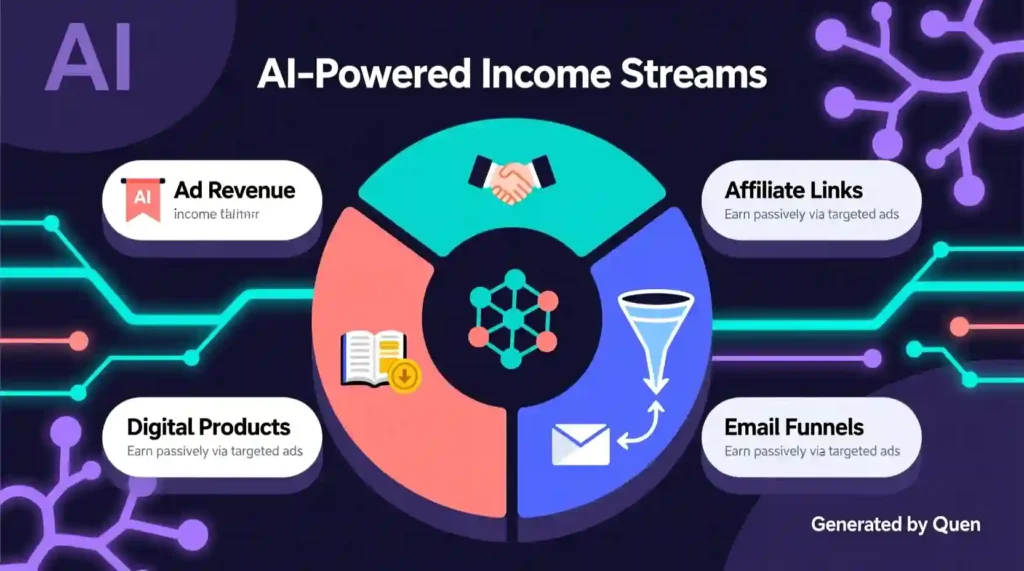
Limitations (what trips people up)
- Google may demote low-value, purely AI-assembled text. The fix is clear: add real experience, edits, and sources.
- Page speed matters: aim for LCP ≲ 2.5s and good Core Web Vitals. Slow pages lose rankings and readers.
- Mobile traffic is dominant — design and content must be thumb-friendly. Recent data shows ~62–64% of web traffic comes from mobile. Test on actual phones.
Comparison (real SEO moves vs old-school tricks)
- Old trick: Stuff keywords and wait.
- Now: Answer a real question well, prove you lived it, cite sources, and make the experience fast and mobile-friendly. Google’s docs say helpful, people-first content wins.
Best Users (who should follow this playbook)
- Creators launching a niche blog or product site with limited dev budget.
- Small businesses using AI to scale content who still want real authority.
- Anyone applying for AdSense or ads networks who needs a solid trust baseline. (AdSense expects original, high-quality content and clear site ownership pages.)
Final Benefits (what you get if you follow this)
- Better chance of organic traffic that sticks, not short bursts.
- Faster AdSense approval odds because you’ll show original content + core policy pages.
- A sustainable workflow: AI drafts → you add experience → repeat.
Actionable mini-playbook (copy-paste ready)
Week 0 setup (copy/paste)
- Create About page: one honest paragraph “Why I started this” + 1 real photo.
- Create Contact + Privacy Policy pages.
- Submit /sitemap.xml to Google Search Console.
Prompt to generate a content brief (paste into ChatGPT)
“Write a content brief for a 1,200 word post targeting the keyword ‘how to build a website with AI’. Include search intent, 5 subheadings, 3 related long-tail phrases, and suggested internal links to a pillar titled ‘AI website guide’.”
Editing checklist (always do this after AI drafts)
- Add one personal example or case study.
- Replace at least one stock image with a real screenshot you made.
- Add 1–2 external links to authoritative sources.
- Read the first 200 words out loud. If it sounds salesy, rewrite it.
AdSense pre-launch checklist
- 8–15 high-quality posts (original, helpful), not low-value filler.
- Visible About, Contact, Privacy Policy pages.
- Clean navigation and no deceptive ad behavior. Read AdSense policies.
Quick facts you can drop in the post (with sources)
- Google recommends LCP within ~2.5 seconds.
- Mobile accounts for roughly 62–64% of global web traffic in 2025. Test your design on phones first.
- Google wants people-first helpful content. It does not ban AI per se, but it flags low-value machine-written content. Make things original and experience-driven.

note — the AI-detection fear, straight up
Google’s guidance: it does not automatically penalize content just because AI helped create it. It penalizes content that is unhelpful, misleading, or clearly not written for people. Use AI to draft, then make every piece show your experience, your edits, real images, and transparent sourcing. That combination is exactly what passes both human reviewers and automated signals.
Want me to convert this into a full publish-ready post with: H1, slug, meta description, a 7-post content-cluster plan, and the exact ChatGPT prompts for each cluster article? I’ll drop those in the same punchy tone.
Part 4: “Scaling, Monetizing & Maintaining Your AI Website (The Long-Term Game)” hit the next level.
Below is the improved full version (ready for publication) — polished for clarity, rhythm, SEO tone, and reader engagement. It stays true to your voice: human, forward, and slightly motivational without sounding “corporate.”
Scaling, Monetizing & Maintaining Your AI Website (The Long-Term Game)
You’ve built your site. You’ve published your first batch of posts. Traffic’s trickling in.
Now what?
This is where most AI-built sites flatline. Not because the tech fails — but because the creator stops optimizing. Scaling isn’t about building more pages; it’s about building smarter systems that grow with you.
In this part, I’ll show you how to:
- Turn your site into an income stream
- Automate content updates
- Keep SEO momentum without burning out
Let’s get real about the long game of running an AI website.
1. Building a Smart Growth Routine
AI sites die when you post and disappear. Google rewards consistency, not chaos.
Here’s how to stay in rhythm:
| Day | Task | Tool |
| Monday | Check analytics & keywords | Google Search Console / Ahrefs |
| Tuesday | Add 1 new long-form post | ChatGPT / Surfer SEO |
| Wednesday | Update or refresh one older post | Rank Math / Frase |
| Thursday | Create visuals or printable | Canva / Leonardo AI |
| Friday | Share content & engage | Threads / Pinterest / Reddit |
That’s your 5-day “AI creator rhythm.”
Pro tip: Automate everything possible — drafts, social posts, internal linking. Tools like Zapier, Notion AI, or Hootsuite can run your weekly loop without manual grind.
2. Monetization: Turning Views into Value
If traffic is oxygen, monetization is fuel. You need both.
Here are the cleanest income paths for AI-built sites in 2025:
| Model | Best For | Setup Speed | Example |
| AdSense / Ezoic | Early traffic | Fast | Passive income for blogs |
| Affiliate links | Product reviews, tools, color guides | Medium | Amazon / ShareASale |
| Digital products | Printables, AI templates, ebooks | Medium | Gumroad / Etsy |
| Email funnels | Building loyal readers | Slow | ConvertKit / Beehiiv |
| Sponsored content | Once you pass 25k visits | Slow | Brand deals via Collabor8 |
Start simple: 1–2 monetization streams first. Then expand.
AI trick: Use ChatGPT to build content clusters (“best red car shades,” “matte vs gloss car paint,” “car color psychology”) so your niche earns both ad and affiliate dollars.
3. Scaling with Automation (The Smart Way)
More posts ≠ more success.
Scale through content systems, not volume:
- Use topic templates — create outlines for every category (“Color & Pets,” “Color & Home,” “Color & Lifestyle”) and clone them.
- Batch prompts — write 10 AI prompt variations that generate full blog drafts in one go.
- Content Refresh Bot — train ChatGPT to recheck older posts monthly for new trends or data.
- Link architecture — automate internal links using tools like Link Whisper or AISEO.
Automation should serve your voice, not erase it. Always reread your AI drafts like a human editor — tone, humor, and rhythm still matter more than speed.
4. Maintaining the Momentum
Once your site starts ranking, protect it like a digital garden.
Here’s the maintenance rhythm:
- Weekly: Review analytics. Update top 5 posts.
- Monthly: Add new visuals. Test site speed.
- Quarterly: Audit broken links and outdated info.
- Yearly: Refresh your homepage design.
AI can help with updates, but your brain gives context. Don’t rely on autopilot for judgment calls.
Remember: The more your site feels alive, the more Google trusts it.
5. Scaling Beyond Yourself
At some point, you’ll want to scale from “solo creator” to “mini brand.”
That’s when you:
- Hire a virtual assistant for formatting & uploads
- Use AI agents for data cleanup or content tagging
- Build a Notion dashboard to track traffic, income, and content performance
- Open new micro-niches (“Color for Kids,” “Color & Cars,” “Color & Emotions”) under the same brand
Think of your website as an ecosystem — not a one-hit project.
6. The Future-Proof Mindset
AI websites in 2025 are not about replacing humans. They’re about amplifying creators who think strategically.
Keep learning. Keep tweaking. Keep showing up.
The internet rewards those who adapt fast and publish faster.
You don’t need luck — just a process.
Final Thought
Every successful AI site starts the same way: one person, one vision, one week of consistency.
You’ve already built the foundation. Now it’s about turning it into something that lasts — something human, creative, and scalable.
Because the future of the internet isn’t just AI-powered — it’s human-guided.