

Copy.ai Review 2025: Fastest Content Tool or Just Hype?
Introduction: When Speed Beats Perfection
Back in 2022, I had to crank out 30 Facebook ads in two days. Zero time for brand training, zero patience for complex workflows—I just needed raw words that converted. That’s when I discovered Copy.ai—a no-frills AI writing assistant built for one thing: speed.
Unlike enterprise tools that obsess over long-form SEO workflows, this platform is the speed demon of short-form copy. Think fast drafts for ads, product blurbs, and social captions—done in under a minute. If you’re juggling side hustles, testing campaigns, or racing client deadlines, this tool changes the game.
Core Features of Copy.AI That Set It Apart
1. 90+ Plug-and-Play Templates
From Instagram captions to email sequences and product descriptions, the library covers almost every quick-hit marketing need.
Popular templates include:
- Social captions for Instagram, LinkedIn, X (Twitter)
- Paid ad copy for Facebook and Google
- Cold outreach emails and newsletters
- Blog intros and outlines
- Product descriptions for e-commerce
Templates are intuitive and require no steep learning curve. Just pick, fill in prompts, and generate multiple variations in seconds.
2. Simple Interface & Quick Onboarding
While enterprise-grade tools can feel like pilot cockpits, this one keeps the dashboard stripped down. You can generate your first draft in less than five minutes—even if you’ve never touched AI before.
The flow is dead simple:
- Pick a template
- Fill 3–5 prompts
- Generate 5–10 variations
- Edit and publish
Freelancers and teams can onboard in under 20 minutes. No video course or “academy” needed.
3. Infobase for Brand Voice
This feature lets you upload brand guidelines, tone preferences, and product details. It’s not as advanced as Jasper’s deep “Brand Voice” training, but for short content—ads, posts, quick sales copy—it keeps things reasonably on-brand.
The catch: consistency drifts if you push it too far. Great for your first 5–10 posts in a campaign, but less reliable across weeks of heavy publishing.
4. Chat-Style AI for Marketers
Built-in chat feels like talking to ChatGPT, but it’s tuned for marketing tasks. Brainstorming, rewriting, or tweaking ad angles happens in real time. That’s hours saved compared to building every post from scratch.
5. Affordable Entry Plans
Pricing is where it really wins for freelancers and startups:
- Free Plan → 2,000 words/month (good for testing).
- Starter ($49/month) → Unlimited words, 90+ templates, up to 5 brand voices.
- Advanced ($249/month) → API access + integrations.
- Enterprise → Custom pricing.
Compared to Jasper, which starts at $59/month, this tool keeps the barrier lower while still delivering plenty of power.
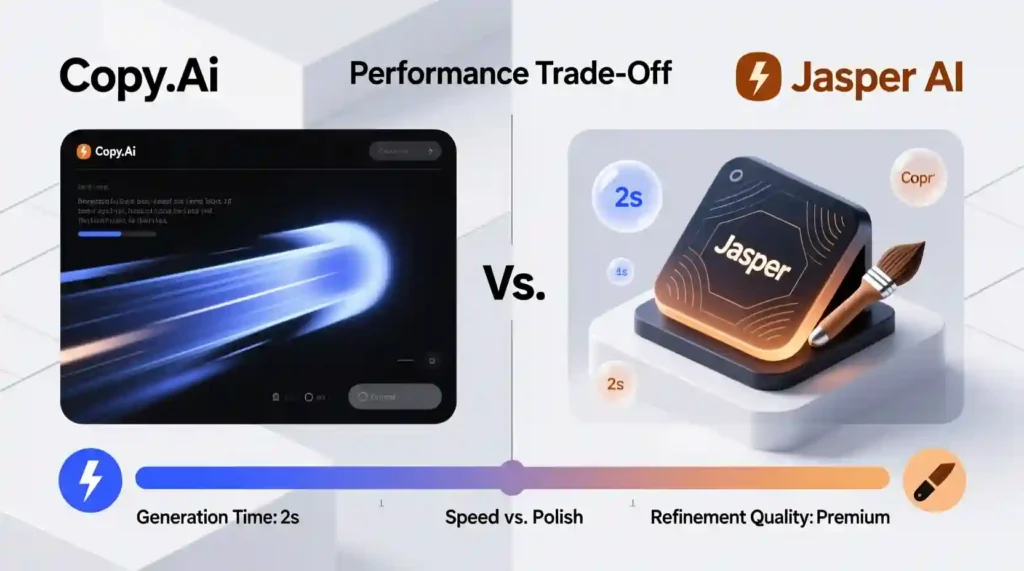
Real-World Speed Test: First Drafts vs. Polished Content
I tested 10 LinkedIn posts on remote work trends using this tool against Jasper.
| Tool | Draft Time | Editing Time | Notes |
| Jasper AI | 35 min | 15 min | Needed Recipes for consistency |
| Fast AI Tool | 18 min | 25 min | Drafts came quickly, but polishing took longer |
Takeaway: This platform dominates in speed. Jasper wins on long-term consistency and polish.
📖 Authority Source: Gartner’s AI Market Insights 2025 confirms that speed-focused AI tools are being adopted rapidly by startups that prioritize testing over perfection.
Who Does This Copy.AI Writing Tool Fit Best

Perfect Fit:
- Solo creators and freelancers juggling projects
- Startups testing ad angles and product messaging
- Social media managers producing 30+ posts per week
- E-commerce stores writing product descriptions in bulk
Not Ideal For:
- Agencies managing multiple client brands
- SEO-heavy bloggers
- Teams that need long-form workflows and advanced collaboration
📖 Authority Source: HubSpot State of Marketing Report 2025 highlights that short-form, high-volume content (ads, posts, product copy) remains the #1 use case for AI writing assistants.
Integrations & Collaboration
Here’s where speed comes with trade-offs. Integration options are limited.
Currently Works With:
- Google Docs
- Chrome extension
- Zapier (basic automation)
Missing:
- WordPress
- HubSpot
- Slack
- Built-in SEO tools
Implications:
- Solo creators can move fast using Docs or Zapier hacks.
- Agencies and content teams may hit bottlenecks.
- Publishing to WordPress requires old-school copy–paste.
Collaboration Features:
- Share projects with teammates
- Comment on drafts
- But no real-time co-editing (unlike Jasper’s Google Docs-style editor)
💡 Pro Tip: Teams can patch the gap by pairing this tool with Google Docs, Notion, or Trello for smoother collaboration.
Template System vs. Workflow Automation (Copy.ai Review)
Here’s where Copy.ai draws the line. It’s template-first, while Jasper AI is workflow-first.
Copy.ai Strengths:
- Lightning-fast short-form drafts
- Simple, ready-to-use layouts
- Perfect for brainstorming or A/B testing ads
- Ideal for freelancers and solo operators
Copy.ai Limitations:
- Templates don’t “connect” into full campaign flows
- No Jasper-style Recipes for multi-step automation
- Long-form writing gets repetitive or generic if overused
- Manual stitching required for bigger projects
Bottom Line:
- Copy.ai = Short-form powerhouse → ads, captions, emails, and quick product blurbs at scale
- Jasper AI = Campaign architect → SEO blogs, brand voice memory, and automation across full funnels
👉 If your goal is volume, speed, and affordability, Copy.ai is the smarter pick.
👉 If you want integrated campaign automation and SEO muscle, Jasper still wears the crown.
Here’s the reality check: long blogs and SEO-driven articles aren’t its strong suit.
Challenges:
- No native Surfer SEO or SEMrush integration
- Outputs can feel generic beyond 1,200 words
- Struggles with tone consistency over long drafts
Workarounds:
- Pair with SEO tools like Clearscope, Frase, or SEMrush for keyword strategy
- Break large blogs into sections, then stitch together
- Add manual editing to maintain flow and brand voice
💡 Pro Tip: Think of it as a first-draft machine. Great for bulk paragraphs and intros, but you’ll still need editorial oversight to hit SEO and authority standards.
Brand Voice: Infobase vs Jasper
The Infobase feature lets you upload:
- Brand guidelines
- Tone preferences
- Product info
It works well for short bursts like ads or product blurbs. But once you generate a dozen or more pieces, tone starts to drift. That’s fine for startups or freelancers testing campaigns, but less ideal for large-scale brand consistency.
Jasper’s Advantage:
- Longer memory window
- Consistent voice across entire campaigns
- Better for SEO-heavy, enterprise-grade content
Takeaway: this tool nails speedy social content, Jasper nails long-term brand voice.
Real-World Case Studies
Case Study 1: E-Commerce Startup
A Shopify founder needed 100+ product descriptions. Using the product description template, they wrapped up in just two days. Normally, that project would take weeks. Conversion rates held steady.
Case Study 2: Freelance Social Media Manager
One freelancer managing 8 small businesses pumped out 40 posts per week in under 3 hours. The time saved went back into client strategy and calls—making her more valuable without burning out.
Case Study 3: Early-Stage SaaS Startup
Two founders tested 25 Facebook ad variations in week one. They found a winning angle fast, boosting CTR by 18% compared to their manual ads.
Pattern: It’s best when used for high-volume, short-form output where speed matters more than polish.
Learning Curve & Onboarding
No headaches here. The system is dead simple:
- Pick a template
- Add prompts
- Generate variations
- Edit and publish
Team onboarding takes less than 20 minutes.
Limitation: There’s no deeper workflow automation beyond templates, unlike Jasper’s Recipes.
AI Quality & Editing Needs
Not all content types come out equal.
| Content Type | Output Quality | Editing Required |
| Short-form (ads, emails, social) | Solid | Light touch |
| Long-form (blogs, guides) | Generic | Heavy rewrite |
| Creative ideas/angles | Mixed | Moderate |
Takeaway: The smart play is to batch-generate 5–10 short drafts, then edit them in one go. That way, you exploit its speed while managing its weaknesses.
Pricing Breakdown
This AI writing tool keeps pricing simple and accessible. Here’s the 2025 lineup:
- Free Plan ($0/month) → 2,000 words per month, limited templates. Great for testing before committing.
- Starter Plan ($49/month) → Unlimited words, all 90+ templates, up to 5 brand voices. The go-to plan for freelancers and solo creators.
- Advanced Plan ($249/month) → Priority support, API access, and advanced integrations. Built for startups and small teams.
- Enterprise (Custom Pricing) → For larger organizations needing compliance, dedicated support, and advanced team management.
Compared to Jasper, which starts at $59/month, this tool is more affordable. But Jasper includes stronger SEO features and longer memory.
Trade-off: This platform is the budget-friendly speed tool, while Jasper is the premium all-in-one system for long-form and team-heavy workflows.
Competitor Comparison
How it stacks up against other top AI writing assistants:
- Jasper AI → Best for agencies and enterprises. Advanced workflows, brand voice memory, SEO integrations, and real-time collaboration. Costs more, but delivers polish.
- Copy.ai → The speed champ. Perfect for freelancers, startups, and social media managers. Affordable, but weaker on SEO and consistency.
- Writesonic → The budget pick. Starts at $19/month and includes AI image generation. Decent for short content, but less reliable for long-form.
- Claude 3 → Great for reasoning-heavy, detailed documents. Strong at analysis, weak at marketing templates.
- Gemini (Google Workspace) → Integrated into Docs and Sheets, so collaboration is seamless. Outputs are generic, better for office use than marketing.
Bottom line: For marketers, the real battle is between Jasper and this speed-first tool. Jasper wins on polish and SEO; this one wins on affordability and speed.
Pros and Cons
Pros
- First drafts in under a minute
- Super easy interface, no learning curve
- Unlimited words for $49/month (Starter Plan)
- Huge library of 90+ short-form templates
- Free plan available to test-drive
- Great for brainstorming or high-volume output
Cons
- Weak on long-form and SEO (heavy editing needed)
- Limited integrations (no WordPress, HubSpot)
- Brand voice drifts over time
- Basic collaboration tools
- Shorter memory window than Jasper
Actionable Tips to Maximize It
- Stick to short-form content like ads, posts, and emails
- Pair with external SEO tools (Frase, Clearscope, SEMrush) for blogs
- Batch-generate multiple drafts, then edit in one sitting
- Keep an eye on tone drift in long projects
- Use Docs, Trello, or Notion to patch collaboration gaps
Final Verdict: Who Should Use Copy.AI in 2025?
This platform is a lifesaver for solo creators, freelancers, startups, and e-commerce shops who need to pump out content fast without draining budgets. Social media managers also win big with it, cranking out dozens of posts per week in record time.
Where it struggles: long-form SEO content, multi-client agencies, or teams needing airtight brand consistency. For those, Jasper is the safer investment.
My take: Think of this tool as the scrappy younger sibling in the AI writing space. It won’t replace a full content team, but it’s the perfect partner when you’re drowning in deadlines. For $49/month, it’s one of the best entry points into AI-assisted writing.
When you’re ready to scale, you’ll probably need Jasper’s deeper workflows and SEO muscle. But until then, this is the speed demon that keeps your content engine firing.
✅ Final CTA
👉 Want to see how fast it really is?
Don’t just read reviews — test it for yourself.
🚀 Try it Free Today → No credit card. No risk. Just instant AI-powered drafts at your fingertips.
If scaling content is on your 2025 roadmap, this is your starting line.
Copy.ai FAQ 2025
1. Is Copy.ai worth using in 2025?
Yes. Copy.ai is absolutely worth it if you need fast, affordable AI writing for ads, emails, social posts, or product descriptions. For long SEO blogs, Jasper AI is usually the stronger option.
2. What’s the difference between Copy.ai and Jasper AI?
Copy.ai is faster and cheaper for short-form content like posts and campaigns. Jasper AI handles long-form writing, SEO optimization, and brand consistency better.
3. Can Copy.ai write long blogs?
Yes, Copy.ai can generate long-form blogs, but the quality often drops after about 1,500 words. You’ll need to edit and polish heavily if you want Google to rank it.
4. Is Copy.ai free or paid?
Both. Copy.ai has a free plan with 2,000 words per month. Paid plans start at $49/month with unlimited words and access to all templates.
5. Does Copy.ai handle SEO?
Not directly. Copy.ai doesn’t have built-in SEO optimization, but you can connect it with tools like Surfer SEO, Frase, or Clearscope. Jasper AI has tighter SEO integrations out of the box.
6. Who should use Copy.ai in 2025?
- Freelancers who need bulk drafts fast
- Startups running lean marketing campaigns
- Social media managers posting daily
- E-commerce store owners writing product copy
7. Does Copy.ai support multiple languages?
Yes. Copy.ai supports over 25 languages, which makes it great for global campaigns and international e-commerce.
8. Is Copy.ai good for Tier 1 countries?
Yes. Copy.ai templates are tuned for audiences in the US, UK, Canada, and Australia. Perfect if your traffic is coming from Tier 1 countries.
9. Can Copy.ai replace human writers?
No. Copy.ai is great for first drafts and speed, but you’ll still need human editing for emotional depth, storytelling, and true brand authority.