

Jinna.ai Review: How This Smart Voice Tool Helps Freelancers Get Paid Faster
Jinna.ai Review – I tested this AI invoicing app If you’re a freelancer, you already know the hardest part isn’t the work itself.
It’s sending invoices, following up, and hoping clients pay on time.
I’ve tried almost every invoicing app—some too complex, some too basic, and most that still needed endless typing. Then I came across Jinna.ai, an AI-powered invoicing tool that claims you can speak your invoice instead of writing one.
This Jinna.ai Review shares my full experience using it for two weeks—what it got right, what felt rough, and whether it’s worth switching from manual invoicing or apps like Wave or Bonsai.

What Is Jinna.ai?
Jinna.ai is a new AI invoice generator built for freelancers and small business owners.
You can type, upload files, or even record a voice note like,
“Invoice for Alex, social-media design project, $300 due in 7 days.”
Within seconds, it turns that message into a full invoice—complete with your logo, tax, payment links, and an optional reminder.
It’s like having a mini-assistant who understands context and does the boring math.
The idea is simple:
You talk → AI listens → AI builds a professional invoice → client receives it instantly.
Why I Tried It
A few weeks ago, I was juggling five clients and lost track of who had paid. My spreadsheet was a mess, and one invoice even went to the wrong email. I realized I needed a faster, smarter system.
When I read about Jinna.ai on Product Hunt, the “voice-to-invoice” feature caught my eye. I record so many ideas and tasks on my phone already; why not do the same for invoices?
So I signed up for a free trial and decided to test it for every project that week.
First Impression
Setup took less than five minutes. The dashboard looked clean and modern—white background, large icons, and no confusing menus. You can choose to start by typing or pressing a small mic button to record a voice note.
I recorded:
“Invoice for Maya K., website banner design, $150, due Friday.”
Within ten seconds, an invoice appeared with her name, amount, and due date. It even guessed the currency correctly. I edited my logo, added bank details, and hit send.
It felt strangely easy—like texting an assistant who already knows your business style.
How It Works
Here’s the step-by-step process I used:
- Login to your Jinna.ai dashboard.
- Choose Input Type – Voice, text, or file upload (PDF or DOC).
- AI Creates the Draft Invoice – It auto-fills client name, date, service, amount, and due date.
- Edit and Customize – Add logo, tax %, or notes.
- Send or Download – Email directly or download as PDF.
- Follow-up Automation – You can schedule a reminder if the client hasn’t paid.
It saves about ten minutes per invoice, but more than that—it saves focus.
You stay in flow instead of opening multiple tabs or doing math.
Real Use Story

On Thursday, I had back-to-back design calls and no time to open my laptop.
I pulled out my phone in the car and said:
“Invoice for Sarah B., 3 Instagram post designs, $90, due in 5 days.”
By the time I reached home, the invoice email had already gone out.
No typing, no calculator, no stress.
That moment sold me. It made invoicing feel as quick as sending a voice message to a friend.
Best Features of Jinna.ai
1. Voice-to-Invoice Magic
This is the feature that changes everything.
It uses speech recognition and context learning to pick names, amounts, and dates accurately. Even if I say, “next Friday,” it turns that into the exact calendar date.
2. Automatic Follow-ups
You can set reminders like “3 days before due date” or “2 days after unpaid.”
It emails the client gently without sounding robotic.
3. Customization Options
You can change colors, add your logo, and choose templates.
Each invoice looks branded, not generic.
4. Smart Storage
Every invoice stays saved in your dashboard with payment status visible—Paid, Pending, or Overdue. You can also download all records as CSV for tax season.
5. Simple Interface
Unlike QuickBooks or FreshBooks, there’s no setup nightmare.
Even someone new to freelancing can learn it in an hour.
Jinna.ai vs Traditional Tools
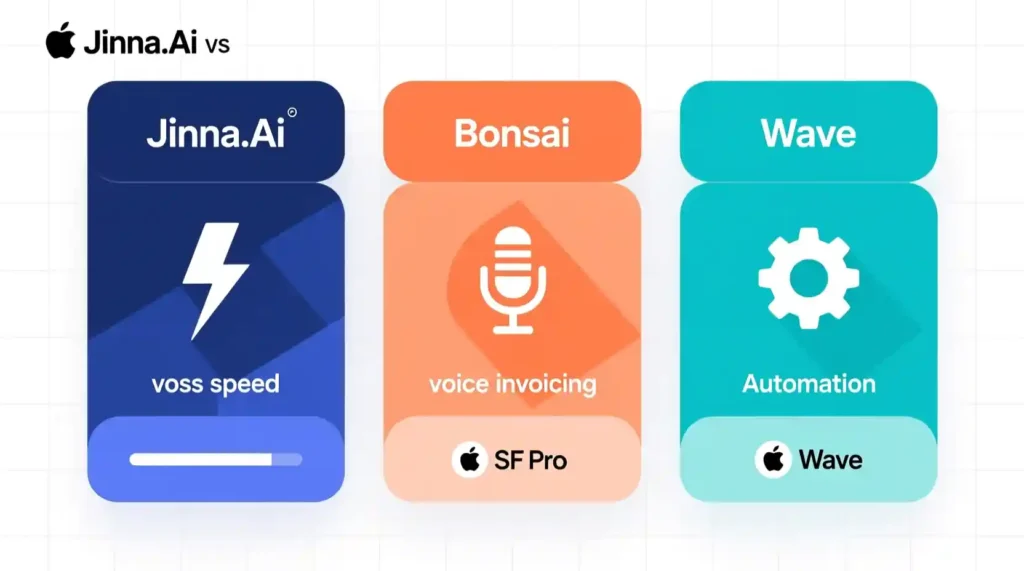
| Feature | Jinna.ai | Bonsai | Wave |
| Voice input | ✅ Yes | ❌ No | ❌ No |
| Auto follow-up | ✅ Yes | ✅ Limited | ❌ No |
| Design templates | ✅ | ✅ | ✅ |
| Free version | ✅ Basic | ❌ | ✅ |
| Ease of use | ⭐⭐⭐⭐ | ⭐⭐⭐ | ⭐⭐⭐ |
| Mobile-friendly | ✅ | ✅ | ⚠️ Some lag |
The biggest difference is the voice input and speed.
Other apps still expect you to type everything. Jinna.ai focuses on cutting friction for freelancers who move fast.
Pricing (as of this review)
Jinna.ai currently offers a free basic plan with a limited number of invoices per month.
The Pro plan (around $9/month) unlocks unlimited invoices, voice recordings, and branded templates.
That’s cheaper than Bonsai or QuickBooks, which charge $17–$25 monthly.
For someone just starting out or handling small projects, the free tier is more than enough. I only upgraded because I send 10+ invoices each month.
What I Liked Most
- The voice feature is smooth and fun to use
- Clean dashboard—no clutter
- Automatic follow-ups save awkward “Hey, did you see my invoice?” messages
- Works great on both phone and laptop
- Easy to export data for taxes
What Could Be Better
- Sometimes it mishears client names if spoken too fast
- Limited payment gateway options (mostly PayPal and bank transfer)
- No mobile app yet—only web version
- Doesn’t handle complex multi-currency invoices smoothly
Still, none of these were deal-breakers for me. For daily freelancing, it’s fast, light, and reliable.
My Honest Take So Far
After using Jinna.ai for two weeks, I can say it’s not a gimmick.
It saves time, removes stress, and makes invoicing feel effortless.
The only catch is it’s still new—meaning updates roll out slowly, and there’s little long-term user data. But if you want a practical, beginner-friendly invoicing tool that actually listens to you, this is the one.
Jinna.ai Review Is It Worth Using for Freelancers and Solopreneurs?
When I first started using Jinna.ai, I expected another short-lived app that I’d delete after a week. But after two weeks, I realized something surprising — it had quietly fixed one of the most boring and time-wasting parts of my freelance routine: billing.
Let’s break down what really works, what still feels rough, and who should actually use it.
How It Changed My Workflow
Before Jinna.ai, I used Google Sheets and a basic Word template for invoices. I’d copy data, calculate totals, and check due dates manually. It took 10–15 minutes per invoice. When you handle five or six clients, that becomes a real drain.
After switching to Jinna.ai, everything felt faster and cleaner.
Here’s a real example:
I worked on a logo redesign project worth $250. Normally, I’d sit down later to make the invoice. This time, I just said:
“Invoice for Sam D., logo redesign, $250, due in 7 days.”
It took less than 20 seconds. The AI filled in the rest, attached my business info, and even offered a reminder option. I hit send, and it was done.
That single task used to take 15 minutes. Now it took less than one.
Multiply that by a month’s work — and suddenly, I had an extra hour every week.
That’s the kind of quiet time-saving that doesn’t look big on paper but feels huge in daily life.
Deeper Look: What Makes It Stand Out
1. Voice Invoicing That Actually Works
Unlike many apps that add “AI” as a buzzword, this one genuinely uses it.
Its speech recognition is strong — it catches amounts, names, and timeframes well. Even when I spoke in my natural accent, it rarely messed up.
You can also say things like “add note: payment through PayPal only” and it understands.
It’s almost like giving your assistant instructions out loud.
2. Follow-up Emails That Feel Human
Late payments are the worst part of freelancing.
What I liked about Jinna.ai is that its reminder emails sound polite, not robotic.
Here’s what one looked like:
“Hi Sam, just a quick reminder that your invoice #023 for logo redesign ($250) is due tomorrow. Thanks again for your project!”
It sounds real — not like something copied from a system message. Clients respond better to that tone.
3. Built for Real People, Not Accountants
I’ve tried tools like QuickBooks and Zoho Books before. They’re great, but made for teams or companies with accounting terms and charts I don’t need. Jinna.ai keeps everything simple: create, send, track, done.
There’s no setup nightmare or long tutorials. It just works out of the box.
Where It Still Feels New
No tool is perfect, and Jinna.ai is no exception.
Here’s what I noticed:
- Limited Payment Options
Right now, it supports PayPal and direct bank links. Stripe and regional wallets would make it better. - No Mobile App Yet
You can use it on a browser, but a proper mobile app would make the voice invoicing even smoother. - Small Bugs
Once, my invoice email went to spam. Another time, it forgot my color setting. Minor, but worth noting. - New Brand, Small Team
Since it’s still new, you won’t find many tutorials or community support. It’s improving fast, though.
Pros and Cons Summary
| Pros | Cons |
| Voice-to-invoice is fast and accurate | Limited payment integrations |
| Clean, minimal dashboard | No mobile app yet |
| Friendly follow-up messages | Few advanced accounting options |
| Free plan for beginners | Minor bugs and small support team |
| Saves hours monthly | Still building brand trust |
Who Should Use Jinna.ai
This app isn’t for everyone, and that’s okay.
Here’s who will really benefit:
✅ Freelancers & Creators – Anyone sending 3–10 invoices monthly.
✅ Designers, writers, and coaches – Especially if you work solo.
✅ Side hustlers – You don’t need to learn accounting, just send simple invoices.
✅ New business owners – Great starting tool before upgrading to heavier systems later.
But if you’re an agency, large team, or need tax reports and integrations, you might outgrow it fast. In that case, tools like Bonsai or FreshBooks make more sense.
What Other Users Are Saying
When I checked Product Hunt, most early reviews were positive.
Users liked the clean design and easy setup. A few mentioned that it saved them hours of manual work each week.
One comment that stuck with me was from a freelance developer who said:
“It finally feels like an AI that helps, not one that makes me do extra clicks.”
That’s exactly how I felt too. Simple, quick, and practical.
Comparison With Competitors
Let’s see how it stands next to two popular freelancer tools — Bonsai and Wave.
| Feature | Jinna.ai | Bonsai | Wave |
| Voice input | ✅ Yes | ❌ No | ❌ No |
| Automated follow-up | ✅ | ✅ Limited | ❌ No |
| Pricing | Free + $9/month Pro | $17+/month | Free |
| Templates | ✅ Custom | ✅ | ✅ |
| Payment methods | PayPal, Bank | Stripe, Bank | Stripe |
| Ease of use | ⭐⭐⭐⭐ | ⭐⭐⭐ | ⭐⭐⭐ |
Jinna.ai wins on simplicity and price.
Bonsai wins on advanced features like contracts and proposals.
Wave is great if you only need free, basic invoices.
So if you’re someone who prefers speed and ease, Jinna.ai fits best.
Tips to Get the Most From It
If you decide to try Jinna.ai, here are a few small tricks that made my experience smoother:
- Speak slowly and clearly when recording invoices
- Save your logo and bank details once, then reuse them
- Use the reminder setting — it really helps with payments
- Export your monthly report for records (in CSV)
- Try the free plan first before upgrading
These little things help you get full value without frustration.
Final Verdict
After testing it daily for two weeks, here’s my honest summary:
Jinna.ai isn’t perfect, but it’s clever, light, and real-world useful.
If you’re a freelancer tired of chasing invoices or filling templates, this tool feels like a breath of fresh air.
It doesn’t pretend to replace accountants or automate taxes.
It just helps you get paid faster — which, honestly, is all most freelancers need.

Final Rating (Out of 10)
| Category | Score |
| Ease of Use | 9/10 |
| Accuracy | 8/10 |
| Design | 8/10 |
| Speed | 9/10 |
| Features | 7/10 |
| Value for Money | 9/10 |
| Overall | 8.5/10 |
Conclusion Jinna.ai Review
If you’ve been stuck retyping invoices, managing spreadsheets, or worrying about reminders, Jinna.ai is a refreshing change. It brings AI into something boring and makes it simple again.
You just talk — and it listens, understands, and works for you.
That’s the kind of AI I want more of.
For freelancers, creators, or side hustlers looking to make their workday smoother, Jinna.ai is definitely worth trying.
Pingback: Floqer Review 2025 — Honest AI GTM & Data Enrichment - zadaaitools.com