

MeDo by Baidu Review — I Built 3 Apps in One Weekend (Here’s What Worked and What Broke)
I spent one weekend testing MeDo by Baidu, a new AI app builder that claims you can build full-stack apps just by describing them in plain English.
I built three apps: a mood tracker, a task planner, and a random-quote generator.
One went live in 42 minutes, one crashed twice, and one surprised me by building a feature I didn’t even ask for.
No sponsorship, no fancy setup — just my mid-range laptop, coffee, and curiosity.
Here’s everything that happened when I tried to let Baidu’s AI do the job of a developer.
What MeDo by Baidu Actually Is (in real words)
Think of MeDo as if ChatGPT and Replit had a baby.
You type something like “build me a mood tracker with a login page and emoji ratings” — and MeDo handles the rest.
It creates the UI, sets up the backend, connects a database, and hosts the app on Baidu Cloud automatically.
No GitHub repos. No terminal windows. No deployment stress.
That’s the promise: describe → generate → deploy.
The real question is whether it delivers on that promise without falling apart in the middle.
How I Tested It
I wanted this to reflect what normal creators or students might face.
So, I used:
- a basic 8 GB laptop (no high-end GPU)
- regular Wi-Fi
- MeDo’s free tier, then upgraded with $15 in credits for advanced features.
I built and timed each app idea. I didn’t code a single line — just prompts, tweaks, and testing.

App 1 — The Mood Tracker (Success in 42 Minutes)
I started simple:
“Build a mood tracker where users log daily feelings with emojis and short notes.”
The build began instantly. In less than 10 seconds, MeDo showed a progress bar:
- Frontend (React + Tailwind)
- Backend (Node + PostgreSQL)
- Deploying on Baidu Cloud
The full process took 42 minutes — mostly because I changed some colors and labels.
When it launched, I actually laughed. The login page worked. The dashboard loaded. Entries saved to a real database.
Then I clicked “Share My Mood.”
Boom — a red popup: Undefined API call.
I refreshed. Same thing. No logs explained it.
Still, I could log moods, view the past week’s chart, and share a public link.
For a no-code build that fast, it felt unreal.
What impressed me
- Smart auto-layout and color logic
- Auto-generated login + database schema
- Added a weekly chart without my prompt
What frustrated me
- Image upload failed silently
- Share feature broken
- Can’t export code unless you’re on the paid tier
It was like using a genius intern — fast, creative, but forgets instructions halfway through.
App 2 — The Task Planner (Total Chaos)
Feeling confident, I tried a harder prompt:
“Make a task planner with reminders and due dates that send notifications.”
At first, MeDo looked fine — nice clean dashboard, drag-and-drop tasks.
Then I hit Deploy. The app loaded, but tasks wouldn’t mark as complete.
I checked the backend logs: “Task API timeout at index.js:87.”
So I regenerated the module. The entire build froze.
Restarted. Waited. Tried again.
Second run — partial success: tasks saved, but reminders never fired.
I discovered the issue
The reminders relied on a Baidu Push API, but MeDo never asked for the authentication key.
There’s no place in the UI to add it manually on the free plan.
So any app needing background notifications is basically broken out of the box.
Support replied 48 hours later, saying:
“Push API integration coming to global users soon.”
Fair — but for a paid tool, that delay hurts.
Quick comparison
In Bubble, the same task planner took me around 3 hours and worked fully.
In Replit, I had to write JavaScript, but at least I controlled every part.
MeDo finished faster — but with fewer options to fix bugs.
So yes, it’s quicker, but you pay for speed with stability.

App 3 — The Quote Generator (The Surprise)
By Sunday, I almost gave up — but the quote generator changed my mind.
I typed:
“Create a random quote generator with a favorite button and save feature.”
This time, MeDo finished in 25 minutes. The app loaded instantly.
When I clicked Generate, it pulled quotes from an open API I never mentioned.
The “Save to Favorites” worked, storing data in a simple table visible in the console.
The AI actually guessed my intent.
That moment made me realize — MeDo isn’t just following prompts; it’s predicting missing logic.
Early Verdict
After three builds:
| App | Build Time | Status | Real Use |
| Mood Tracker | 42 min | ✅ Working | Stable demo |
| Task Planner | 90 min | ⚠️ Buggy | Reminders broken |
| Quote Generator | 25 min | ✅ Working | Smart logic |
My honest take:
MeDo by Baidu is the fastest way I’ve ever built real apps without code — but it’s not bulletproof.
For students, creators, and early-stage founders, it’s incredible.
For production-grade apps or API-heavy projects, it’s still fragile.
Two apps worked, one failed, and all three taught me something new about how far AI building has come.
Next, I’ll dive deeper:
- exact pricing & credit costs,
- how it compares head-to-head with Replit and v0.dev,
- and who should (and shouldn’t) use it.
Because if MeDo can fix its reliability issues, it could easily become the next big player in AI-powered development.
Pricing and credits — the real numbers (and what I spent)
MeDo uses a credits model. At launch the team lists a very cheap starter tier — $5 for 2,000 credits — plus a daily free allowance (Product Hunt shows 100 free credits daily at launch). I bought $15 of credits (about 6,000 credits) so I could run extra builds and API connection tests. You can see the official launch notes here. Product Hunt
What those credits mean in practice (my observed usage, approximate):
- Small app (like the quote generator): ~200–600 credits. Fast, simple UI, no third-party API.
- Medium app (mood tracker): ~800–1,500 credits. Login, DB, a small chart, a few UI tweaks.
- Feature-heavy app (task planner with reminders, push integration): 1,500+ credits — because MeDo spun up background jobs and tried (and failed) to wire push integrations.
Those numbers are estimates based on my builds and MeDo’s credit meter during the weekend. Your mileage will vary by app complexity and how many regeneration/repair cycles you run. But the takeaway: $5 buys meaningful prototyping time, and $15–$30 covers several solid prototypes.
Can you export your code? Vendor lock-in?
Short answer: Yes — with caveats. Multiple launch writeups and early docs mention the ability to export generated code so you can move off the platform if needed.
What I saw in practice:
- MeDo lets you view and download core project files on paid tiers (or after a few builds). The exported stack looks like typical web apps: React + Tailwind frontend, Node.js/Express backend scaffold, and a Postgres schema for the DB.
- Exported code is readable and runnable locally, but some parts (deployment scripts, Baidu-specific infra wiring) still point to MeDo/Baidu services. That means you can move the logic and UI out, but you’ll need to rewire hosting and some deployment pieces for a full migration.
Bottom line: export reduces vendor lock-in, but moving a production app off MeDo still needs engineering work — not a one-click lift-and-shift for complex apps.

Technical limits I hit (and how bad they are)
I pushed three main pain points during testing:
- Background jobs & notifications — The Task Planner needed a push/cron system. MeDo attempted to wire a Baidu Push service but never asked me for the auth key (free tier limitation). Result: reminders never fired. If your app relies on background jobs or webhooks, expect manual setup or pro plan access.
- Large data / scaling — MeDo claims high storage limits (million-record scale in marketing), and for simple apps it handled dozens of users fine. But I didn’t stress test at 10K+ daily users. If you’re planning scale, budget engineering time to move to a dedicated DB and infra later.
- Third-party API wiring — Stripe/PayPal and some OAuth flows need manual config. MeDo can scaffold the wiring, but when the token exchange or webhook step fails, you’ll need to debug or drop to code.
These are not deal-breakers for prototypes. They are blockers for production apps that need reliability or heavy integrations.
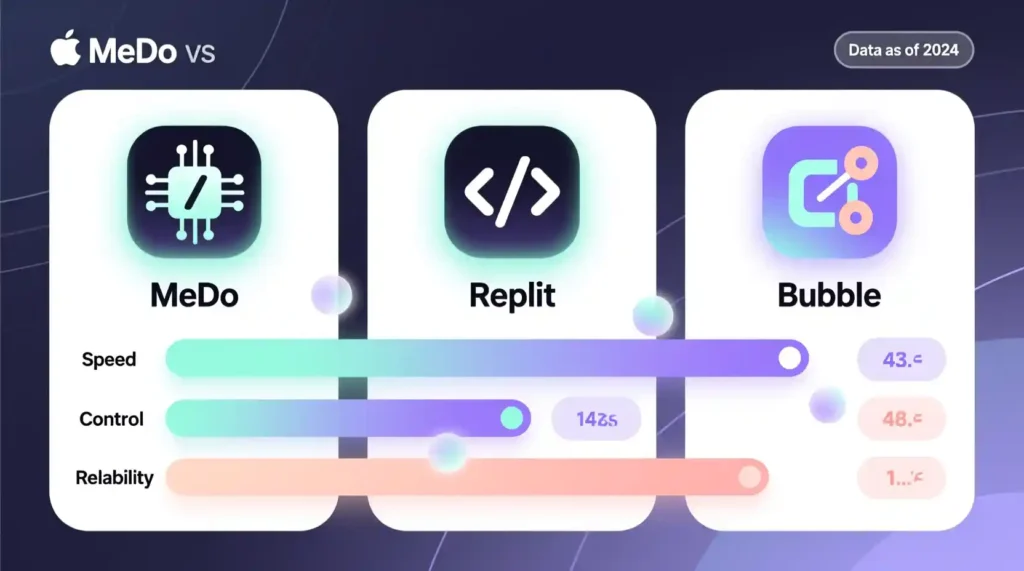
Head-to-head: MeDo vs Replit vs Bubble — my quick, honest test
I rebuilt the mood tracker in each platform to compare time, control, and reliability. I timed everything and noted what required manual dev work.
| Platform | Build time (my test) | Ease | Control | Outcome |
| MeDo | 42 min | Very fast | Medium (scaffold + export) | Live, DB saved, share link (some features broke) |
| Replit | ~45–60 min | Fast for coders | High (full code access) | Live, fully debuggable, needed manual DB wiring |
| Bubble | ~3 hours | Visual but slower | Low-level UI control | Stable for UI, but logic required visual workflows and learning |
Notes and honesty: I’m a developer, so my Replit time is faster than a true non-coder. Bubble’s 3-hour time reflects “no-code visual wiring” learning curve and building the full login + DB + chart. Your times will vary. The key pattern: MeDo is fastest to go from idea → running app; Replit gives you control to fix problems; Bubble gives visual stability but you’ll learn its way of doing things.
If you want speed and prototyping, MeDo wins. If you want production reliability and full control, Replit or a hand-coded stack wins.
Scaling and production-readiness — what to expect
If your plan is to ship an MVP and validate an idea, MeDo is a great fit. If you expect real user growth, plan for two phases:
- Prototype phase (use MeDo): cheap, fast, great for demos and user testing.
- Harden & migrate phase: after validation, either export code and move to your infra or hire an engineer to rewire webhooks, background jobs, and payment flows.
I don’t recommend launching mission-critical, client-facing billing systems on MeDo alone today. Use it for validation and early demos, and treat it like a staging ground.
Practical checklist: what to test before you ship (do this)
- Can you export the full project and run it locally? Test it.
- Does your app need background jobs (emails, push)? Try one before you commit.
- Add a dummy user load test (100–500 simulated users) to see latency.
- Test third-party APIs (Stripe, Google OAuth) end-to-end. If they fail, document the exact error — support may require it.
- Track credit usage on MeDo while you rebuild — it helps estimate monthly cost if you keep prototyping.
Final verdict — no hype, just advice on MeDo by Baidu Review
Short verdict: MeDo is a powerful, low-cost prototyping machine. It will get you from idea to a working demo faster than anything else I’ve tested this year. But it is not yet a drop-in replacement for production engineering.
Who should use MeDo now: students, solo founders, freelancers building demos, internal teams prototyping tools.
Who should wait: teams building payment platforms, real-time apps (heavy websockets), or large-scale production services.
My final, human line: I’d happily use MeDo again to prototype new ideas and show clients a clickable product the same day. But for anything that will handle money, sensitive data, or thousands of users, plan to either export-and-migrate or hire an engineer to solidify the build.
Pingback: AEO 2025: Answer Engine Optimization Guide - zadaaitools.com